Identifying Workspaces and apps with their slugs
The API (and the Bitrise support team) often asks for slugs: a Workspace slug or a project slug. A slug is a unique identifier of one of these resources, consisting of hexadecimal numbers. You can find the slugs of a given Workspace or project both on the UI and in the API.
Finding a slug on the Bitrise websiteClick to copy link
You can find both Workspace slugs and project slugs on the Bitrise website.
- Workspace slugs
- Project slugs
-
Log in to Bitrise and hover over the left navigation bar.
-
Make sure you have the right workspace selected in the Workspace menu.
-
Select Settings.
-
On the Workspace settings page, select `General settings from the left navigation menu.
-
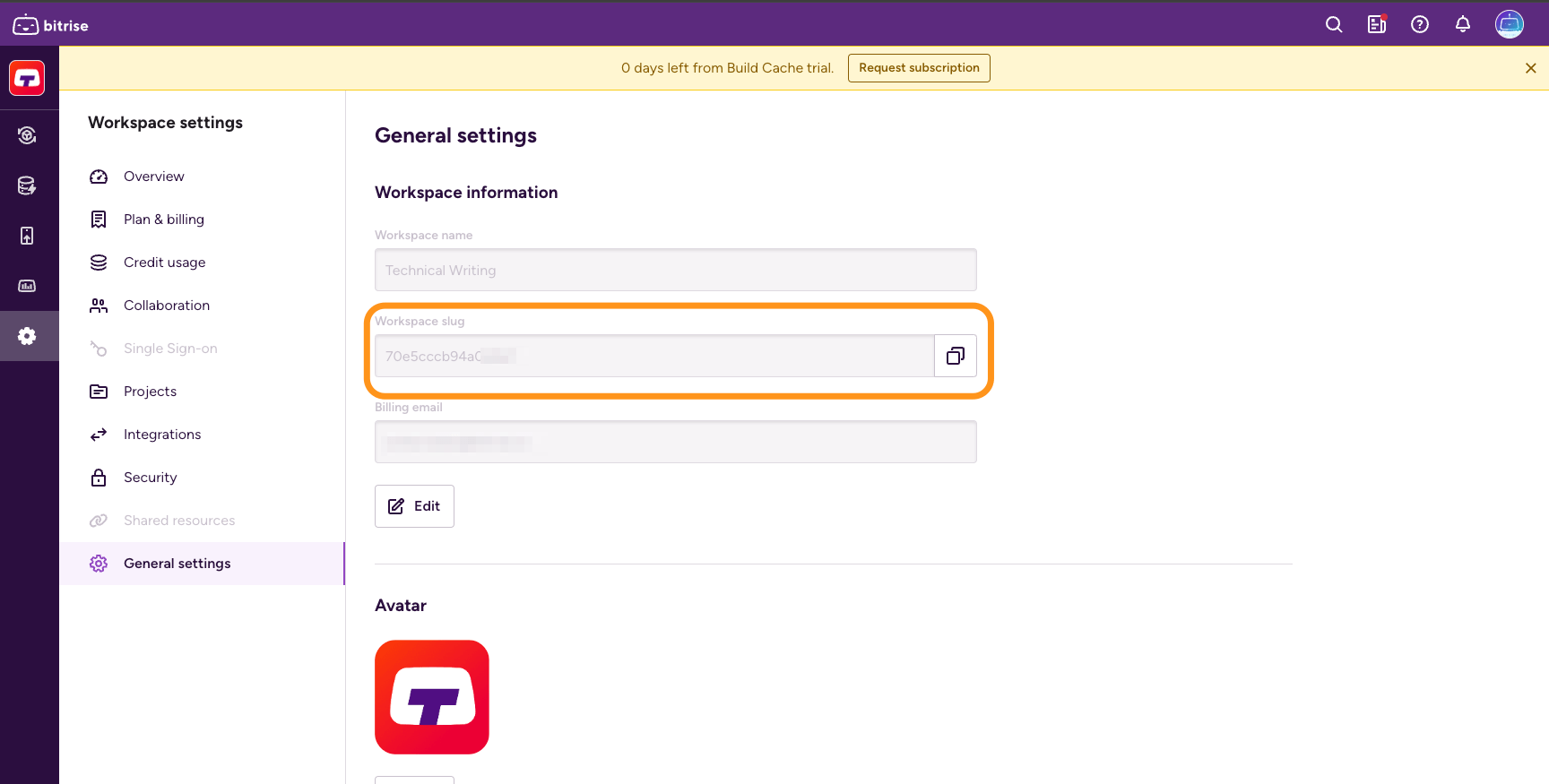
Find the Workspace slug in the Workspace information section. You can copy the slug by clicking the copy button next to it.
-
Open Bitrise CI and select your project.
-
Once on the project's page, go to your browser's address bar.
The URL will look like this:
https://app.bitrise.io/app/5c89d92-8be6-4892-b11d-efbc1fdd607. -
Find the hexadecimal number after the
/app/section of the URL. That is your project's slug.
Finding a slug with the Bitrise APIClick to copy link
You can get the slug for all Workspaces and apps you have access to with simple API calls.
- Workspace slugs
- App slugs
-
Authenticate with the Bitrise API.
-
Call the
GET /organizationsendpoint with your Personal Access Token:curl -X 'GET' \'https://api.bitrise.io/v0.1/organizations' \-H 'accept: application/json' \-H 'Authorization: <ACCESS-TOKEN>' -
Find the slug in the response:
{"data": [{"name": "TestOrg","slug": "2dec5c71bbce73d9","avatar_icon_url": "https://bitrise-public-content-production.s3.amazonaws.com/org-icons/default_avatar-09.png","concurrency_count": null,"owners": [{"slug": "1b3f130835b1c09ef2","username": "bitbot",}]}]}
-
Authenticate with the Bitrise API.
-
Call the
GET /appsendpoint with your Personal Access Token.curl -X 'GET' \'https://api.bitrise.io/v0.1/apps' \-H 'accept: application/json' \-H 'Authorization: <ACCESS-TOKEN>' -
Find the slug in the response:
{"data": [{"slug": "13aa9897-3891-4fe7-8cf5-5b2f75638b0e","title": "TestApp","project_type": "ios","provider": "github","repo_owner": "bitrise","repo_slug": "TestApp","is_disabled": false,"status": 1,"is_public": false,"is_github_checks_enabled": false,"owner": {"account_type": "organization","name": "Bitrise","slug": "03a9543ede4d12bd"},"avatar_url": null},