Flutter dependencies
Flutter supports using shared packages as app dependencies. The packages you can use in your app can be divided into two broad types:
- Dart packages use only Dart code and can contain dependencies, apps, resources, or tests.
- Plugins are a special type of package, containing both native Android or iOS code, as well as Dart code. They make platform functionality available to your Flutter apps.
Bitrise Steps can handle both types, and we have efficient caching solutions for all Flutter dependencies.
Installing dependencies for Flutter appsClick to copy link
Our Flutter Build Step can build both the iOS and Android apps of a Flutter project. The Step runs the flutter pub get command to install all dependencies found in your project's pubspec.yaml file, including plugin packages. As such, it's really simple to add dependencies to a Flutter app on Bitrise.
If your app's dependencies include plugin packages that require access to platform-specific APIs, you need to add the appropriate dependency declarations to the platform-specific build files. For example, you might need to declare a Gradle dependency in the pubspec.yaml file and in your project's build.gradle file as well.
For more information, check out the official Flutter documentation: Handling package interdependencies.
- Workflow Editor
- Configuration YAML
-
Add dependencies to your Flutter project's
pubspec.yamlfile. -
On Bitrise, add the Flutter Install Step to your Workflow to install the Flutter SDK.
In the Flutter SDK version or bundle URL input, set a channel name (such as
stable) to always install the latest release in that channel, or set an exact version tag to pin the installed version. -
Add the Flutter Build Step to your Workflow.
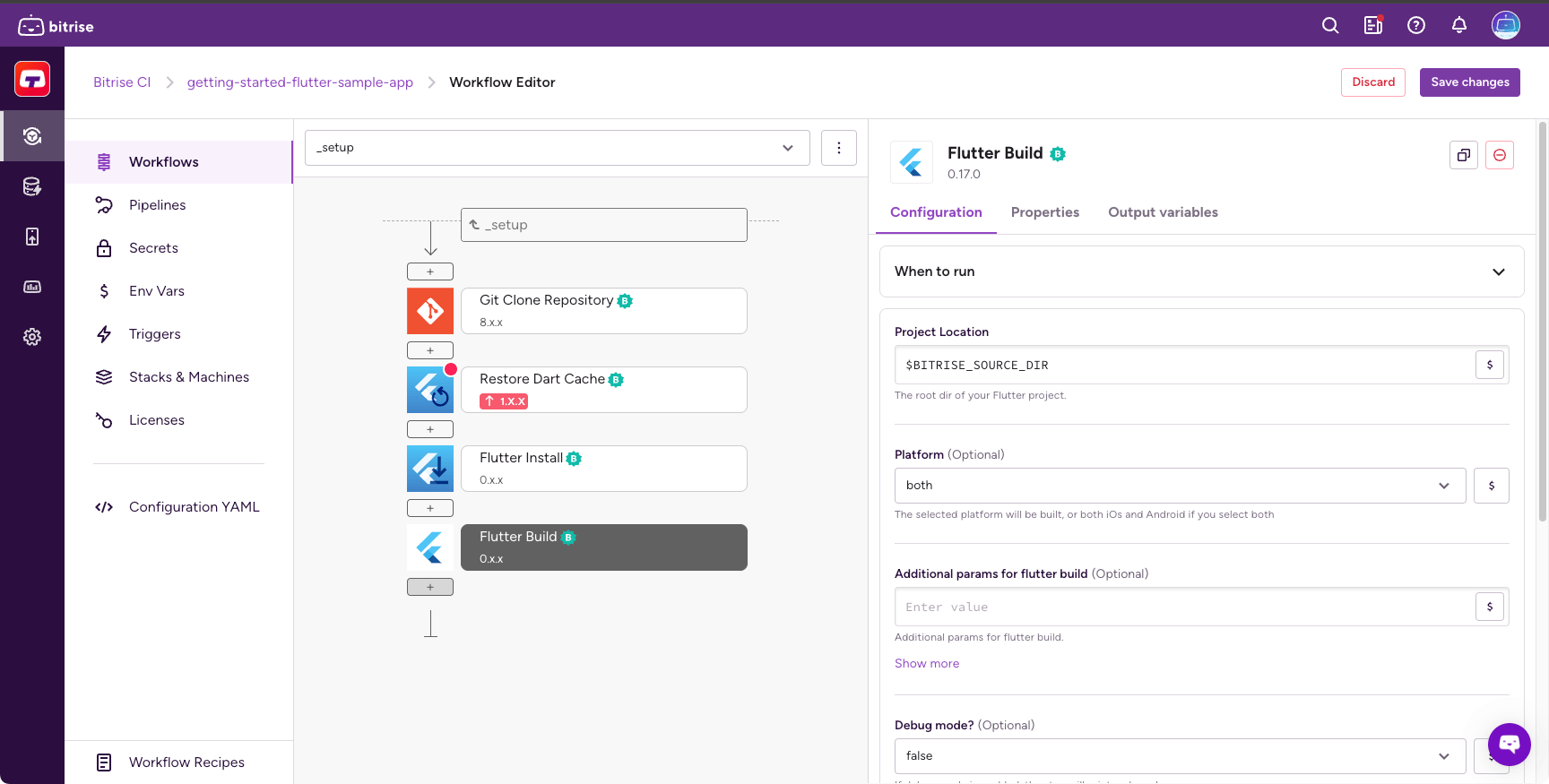
The Step can build both the iOS and Android apps of a Flutter project. If your app's repository contains the necessary build files, it will download and install all required dependencies.
-
Add dependencies to your Flutter project's
pubspec.yamlfile. -
On Bitrise, add the
flutter-installerStep to your Workflow to install the Flutter SDK.In the Flutter SDK version or bundle URL (
version) input, set a channel name (such asstable) to always install the latest release in that channel:your-workflow:steps:- git-clone: {}- flutter-installer:inputs:- version: stableOr set an exact version tag to pin the installed version:
your-workflow:steps:- git-clone: {}- flutter-installer:inputs:- version: 3.32.5 -
Add the
flutter-buildStep to your Workflow.your-workflow:steps:- git-clone: {}- flutter-installer:inputs:- version: stable- flutter-build: {}The Step can build both the iOS and Android apps of a Flutter project. If your app's repository contains the necessary build files, it will download and install all required dependencies.
Caching dependencies for Flutter appsClick to copy link
With key-based caching, you only need the Restore Dart cache and the Save Dart cache Steps to cache your Dart dependencies. These Steps require no configuration as they automatically set up the cache keys needed for your dependencies.
-
Add the Restore Dart cache Step before the Flutter Build Step.
We also recommend placing it after the Flutter Install Step.
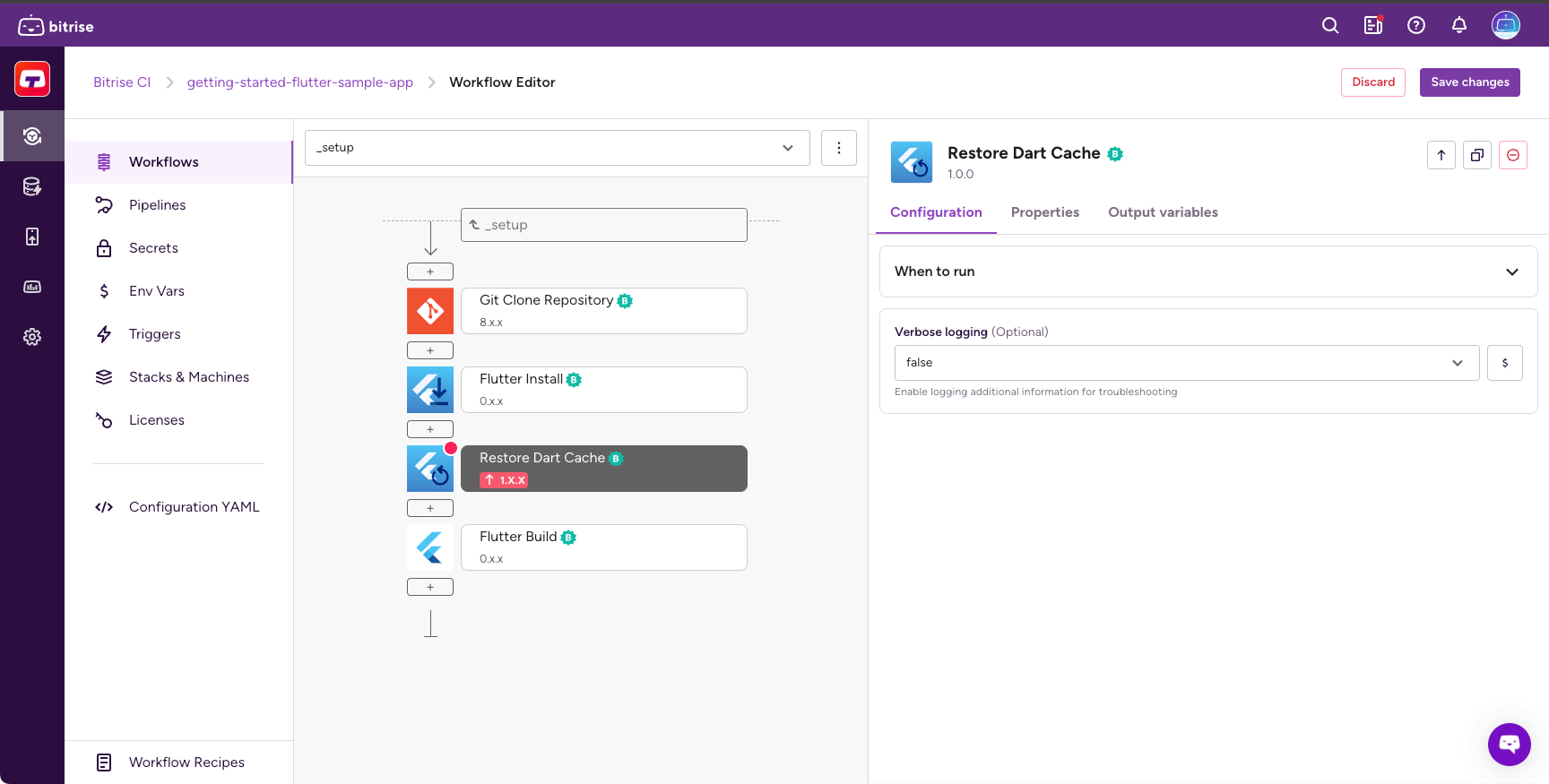
-
Add the Save Dart cache Step to the end of your Workflow.