AI build summary
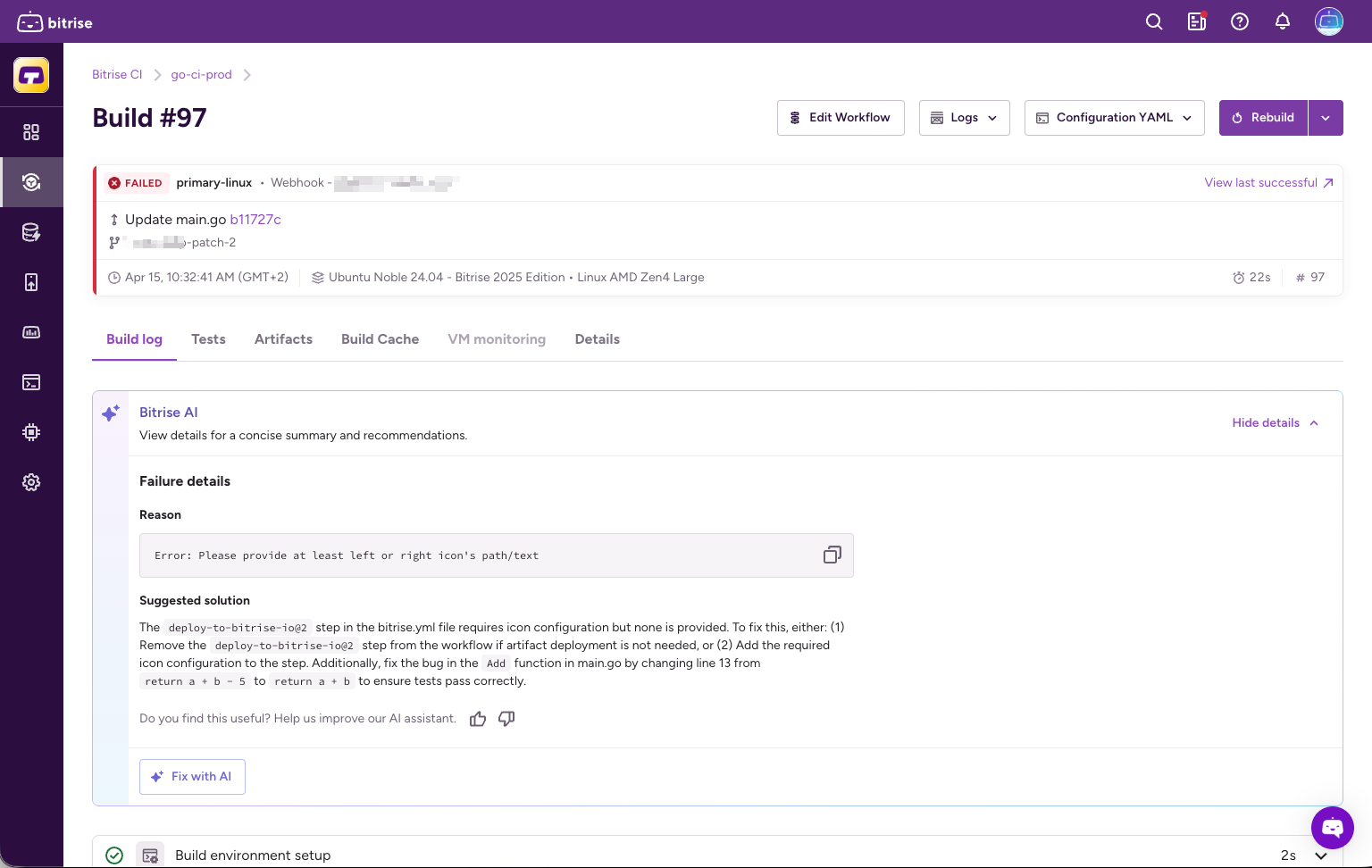
Our AI analyzer gives you a summary of why a CI build failed and suggests the fix right there on the build page.
To enable the feature:
If you prefer not to use any AI features at all, you can disable all of them through the AI Settings menu in your Workspace settings page: Enabling AI features on Bitrise
-
Open your project on Bitrise with a user that has the Admin role on the project, or a custom role with the Edit workflows permission.
-
On the main page of the project, click on the Project settings button.
-
Select Bitrise AI on the left.
-
Find Summary and toggle it on.
Where the summary appearsClick to copy link
The summary appears on the build page on the Bitrise website. You can also post it as a PR comment: in the Repository settings of your project, turn on PR comments and select the Build summary information block. For details, see Reporting build problems in PR comments.
Once you turn on Summary, status indicators below the toggle show where the summary currently appears:
- Bitrise website: always active.
- PR comments: active when PR comments are enabled with the Build summary block selected.