Reporting build problems in PR comments
You can receive debugging information from Bitrise builds in Pull Request (PR) comments. This brings build insights directly into your PR timeline to accelerate problem resolutions and reduce context switching.
Note that PR comments will be posted using a service credential user account or the Bitrise GitHub App if that is in use, rather than your personal account.
Configuring PR comments in BitriseClick to copy link
Configure PR comments with just a few clicks:
-
Open your project on Bitrise with a user who has either the Admin role or the Owner role on the project.
-
On the main page of the project, click on the Project settings button.
-
Click Repository on the left.
-
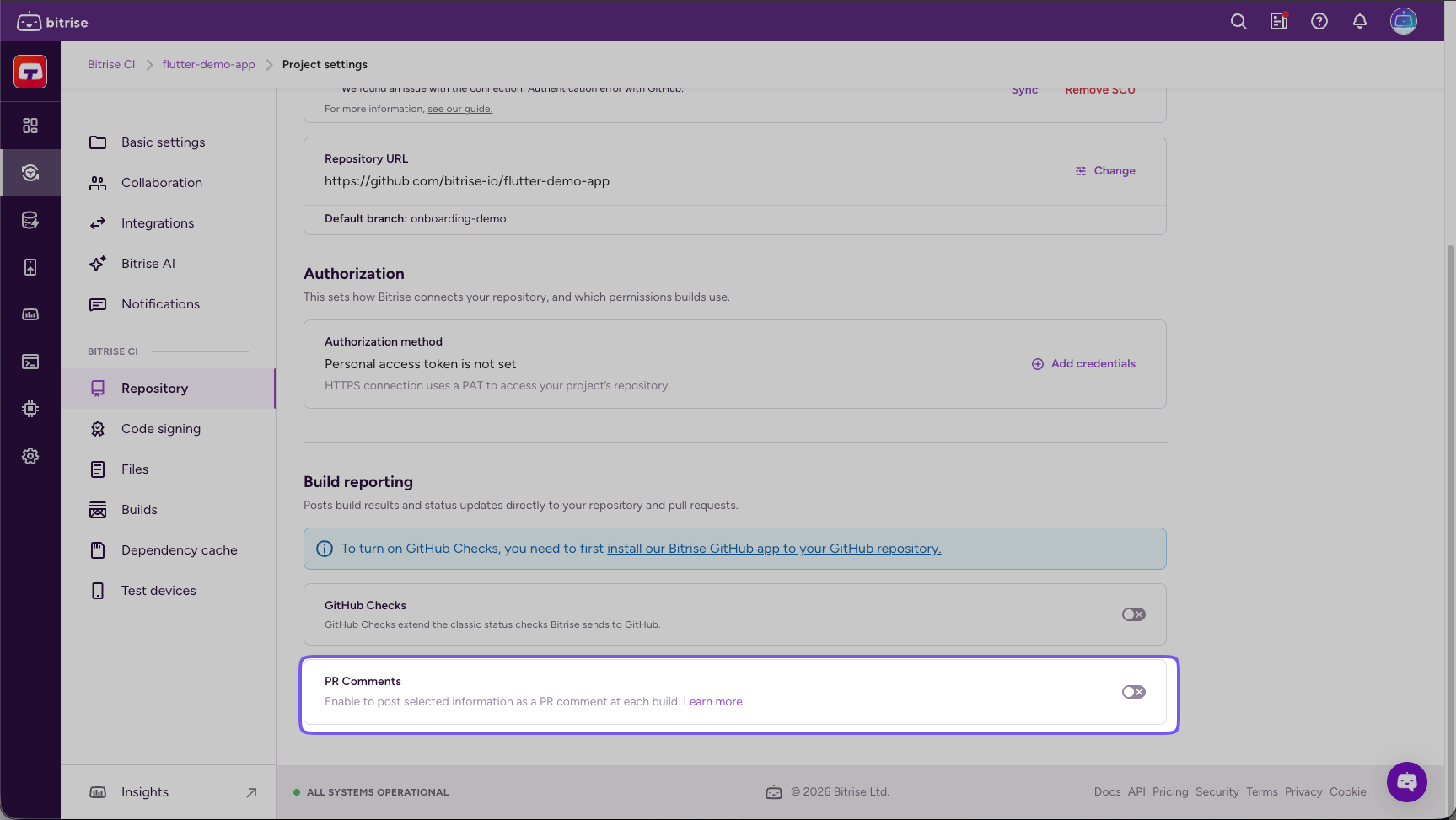
Scroll down to Build reporting and enable the toggle for PR comments.
-
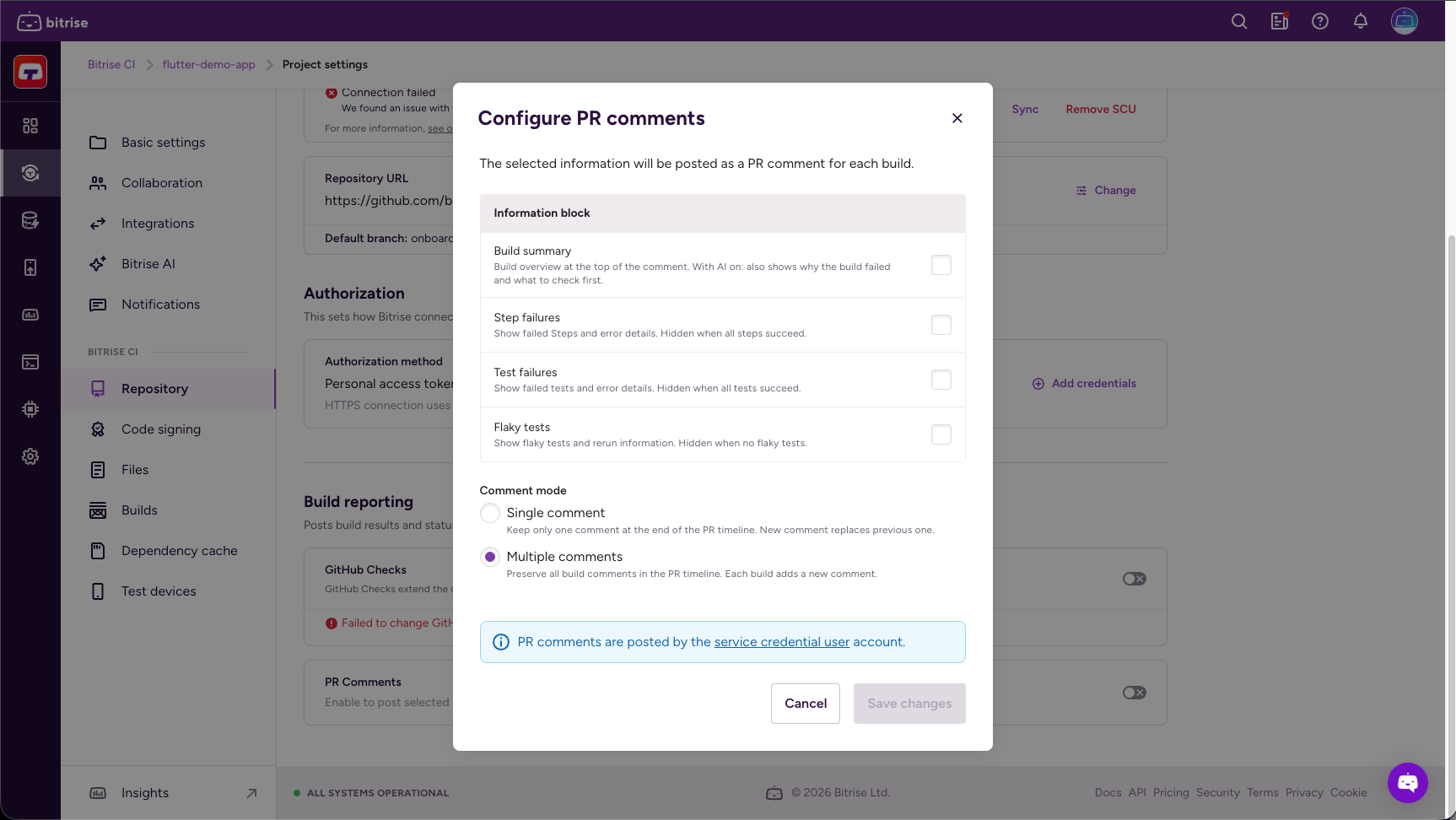
In the Configure PR comments window, all information blocks are unchecked by default. Select any that you want to include in PR comments. The information blocks are the following:
-
Build summary: Build overview at the top of the comment. With AI on, also shows why the build failed and what to check first.
-
Step failures: Shows failed Steps and error details. Hidden when all Steps succeed.
-
Test failures: Shows failed tests and error details. Hidden when all tests succeed.
-
Flaky tests: Shows flaky tests and rerun information. Hidden when there are no flaky tests.
-
-
Under Comment mode, you can choose a comment mode to receive either a single comment or multiple comments.
-
Single comment: Each build on the PR replaces any existing comments from a previous build, so the PR displays only the comment from the most recent build.
-
Multiple comments: Each build on the PR adds a new comment, preserving a running history in the PR timeline.
More on Comment modeOne PR build means one comment. However, multiple different Workflows on the same PR means multiple comments regardless of the Comment mode you choose. If the same Workflow is re-triggered, it adds new comments or updates the existing ones on the PR based on the chosen Comment mode.
-
-
When ready, click Save changes.
Receiving comments only for failed buildsClick to copy link
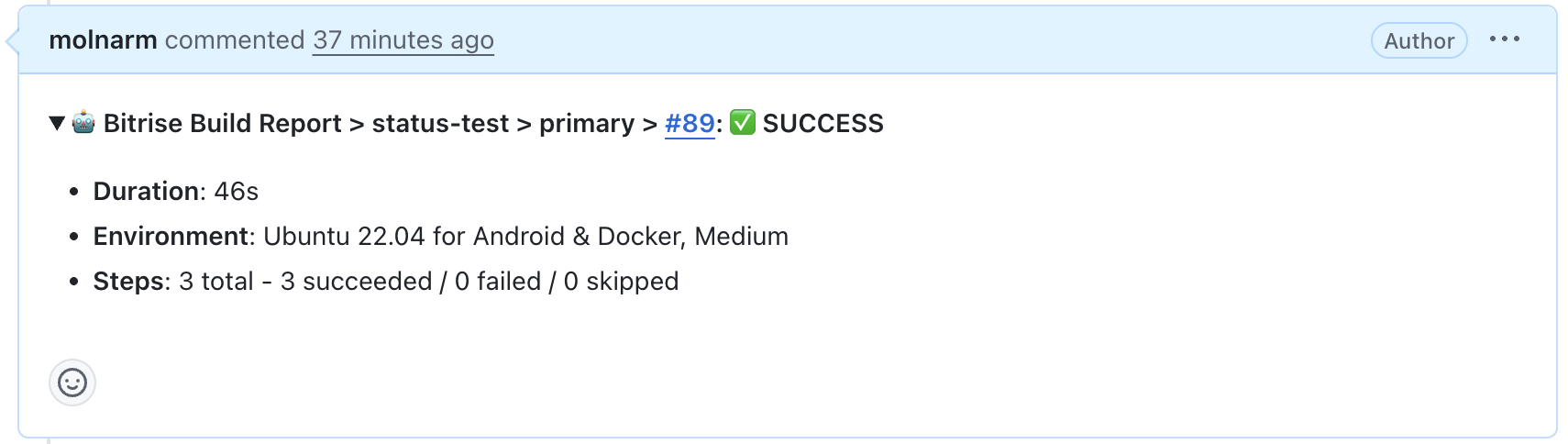
If you have checked all the information blocks, you will receive a comment for both successful and failed builds. In this case, comments from successful builds will include a summary of the build. See examples below:

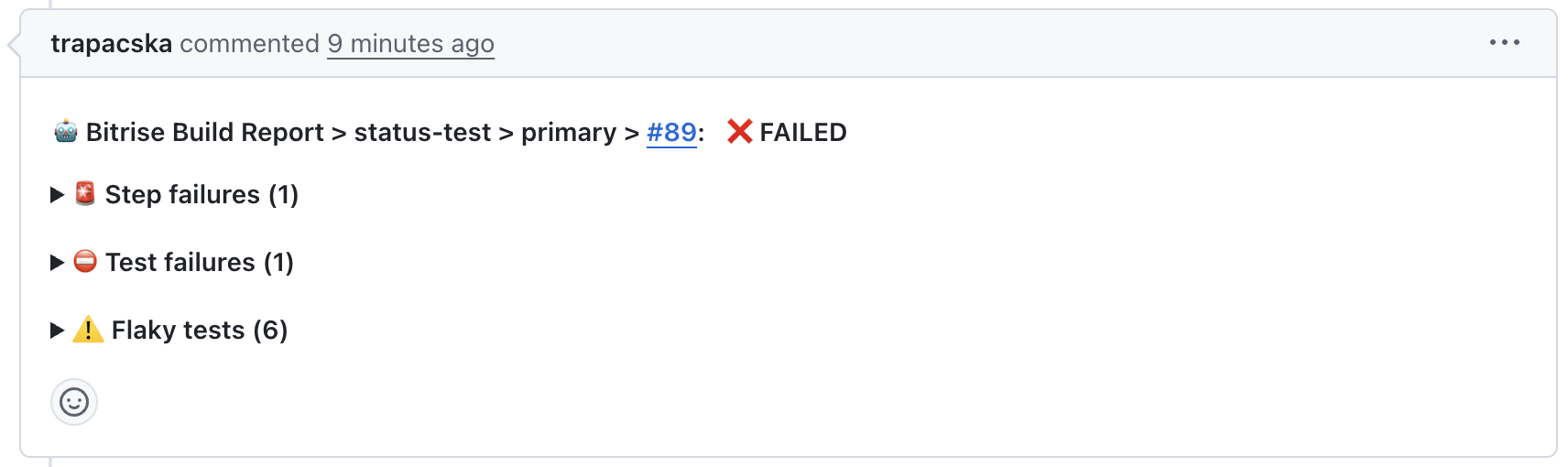
To prevent receiving comments on your successful builds from Bitrise, uncheck the “Build Summary” block and select the other boxes as needed. This way, you’ll only receive comments like below when there’s a problem in your build.
FAQ about embedding debug information in PR commitsClick to copy link
Who is the author of these PR comments?
This depends on the type of authentication. The Service Credential User account posts comments if you authenticate with the OAuth method. This applies for all Git providers, for example, Github, Gitlab, Bitbucket.
If you use the Bitrise GitHub app, the associated Bitrise bot will post the comment.
Which Git providers are supported?
All major Git providers—GitHub, GitLab, and Bitbucket — are supported.
Will these comments appear for every PRs?
It's an opt-in feature per project. Comments will only be posted if you have opted into this for the project.
Will PR comments include full logs?
No. Comments include concise error snippets and links back to the full build and Step logs on Bitrise. Use the link to open the Bitrise dashboard for the full context.
What if it’s a pipeline build with many workflows? Will the comment show which Workflow the failing Step or test belongs to?
If enabled, you will get one PR comment for the pipeline build. Information will be grouped per Workflow.
Can I change settings per Workflow/Pipeline?
No. It is a project-level setting and is not customizable per Workflow/Pipeline.
What if I trigger multiple builds from the same PR? Will there be one comment or multiple comments?
If you trigger multiple builds that are distinct (for example, a PR triggered three distinct pipelines A, B, and C), you will receive multiple comments.
If you trigger multiple builds that are the same (for example, a PR triggered the same pipeline twice, one after the other), then you will receive one comment if you selected Single comment mode, or multiple comments if you selected Multiple comments mode.