Test sharding
Test sharding is the process of dividing a large suite of automated tests into smaller pieces (shards), which can be executed in parallel on different runners. This significantly reduces the time it takes to provide developers with feedback on their changes, allowing them to maintain focus and iterate fast.
Bitrise offers easy to use test sharding optimization features out of the box, depending on your project type and whether you want Bitrise to provide the sharding optimization calculation.
| Project type | Sharding with your own shard optimization calculation | Sharding with shard optimization calculation provided by Bitrise |
|---|---|---|
| iOS | Parallelism | Parallelism + Xcode Test Shard Calculation Step |
| Android | Parallelism | Parallelism + Gradle Runner Step |
Sharding with your own test split calculationClick to copy link
If you already have a means to calculate the optimal test split for sharding, you can set up test sharding by using the parallelism feature in your Pipelines.
Parellelism executes the same Workflow in parallel on separate virtual machines. You manually set the number of copies you need by setting the parallel property of a Workflow:
...
workflows:
  test-without-building:
    depends_on: [build-for-testing]
    parallel: 5
...
Each copy receives two new Environment Variables:
- $BITRISE_IO_PARALLEL_INDEX: a zero based index for each copy of the Workflow.
- $BITRISE_IO_PARALLEL_TOTAL: the total number of copies.
You can leverage these Environment Variables to run test sharding. For example, with Jest:
jest --shard=$((BITRISE_IO_PARALLEL_INDEX + 1))/$BITRISE_IO_PARALLEL_TOTAL
Or with yarn:
yarn test --ci --silent --shard=$((BITRISE_IO_PARALLEL_INDEX + 1))/$BITRISE_IO_PARALLEL_TOTAL
To read more about how to configure parallelism, check our guide: Parallelism in Pipelines.
Sharding with a Bitrise Step calculating the test splitClick to copy link
You can have a Pipeline that automatically shards your tests based on an optimization algorithm provided by Bitrise Steps. This is supported for both iOS and Android projects.
You need to:
- Create a Pipeline that both builds and tests your app.
- Add the Steps performing the shard calculation to the Workflow that builds your app: the Xcode test shard calculation Step for iOS projects and the Gradle Runner Step for Android projects.
- Configure parallelism so that multiple copies of the testing Workflow run in parallel.
- iOS
- Android
-
Create an Env Var that will contain the number of shards you need. For example, NUMBER_OF_SHARDS.
-
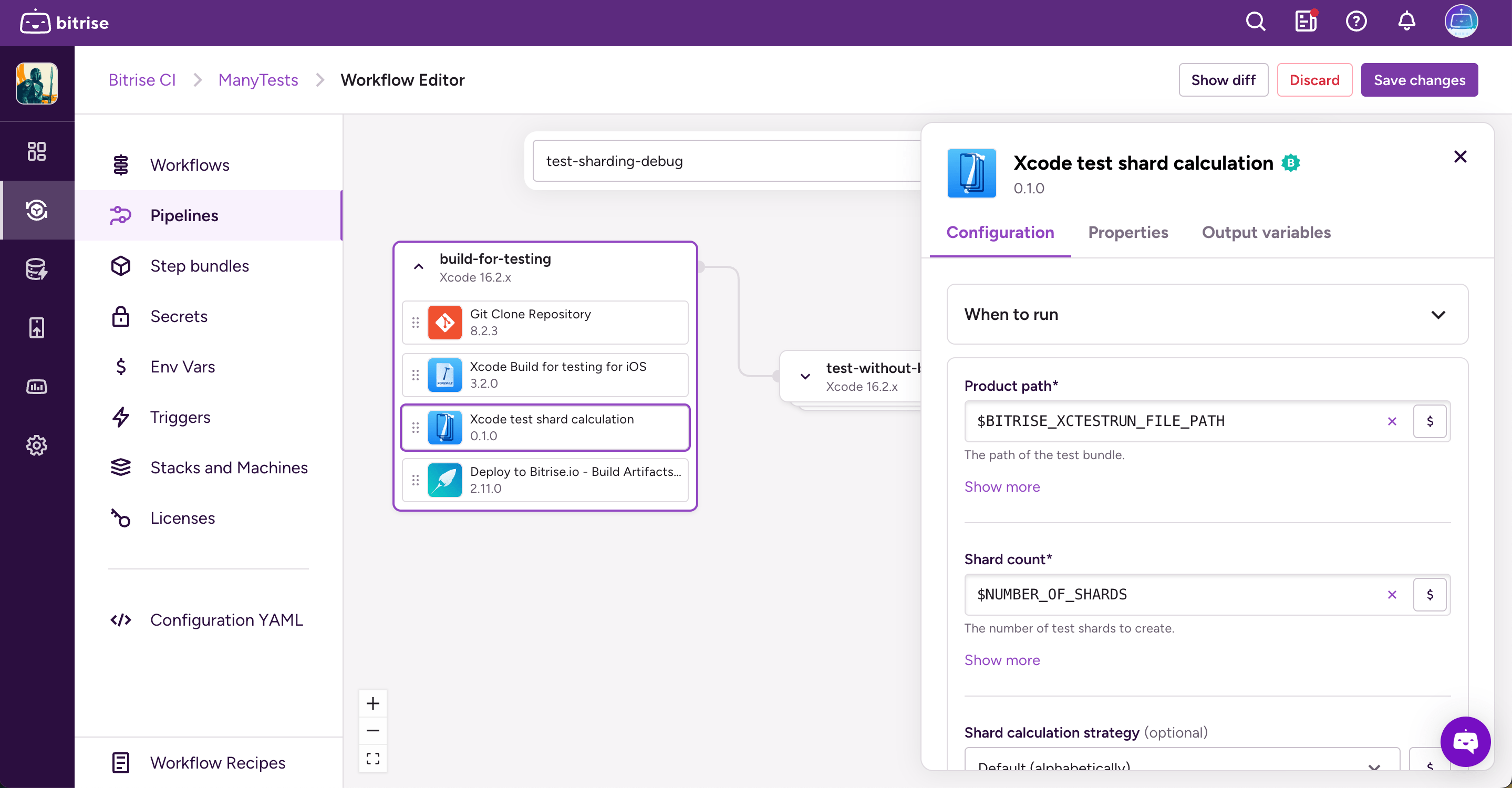
Add the Xcode test shard calculation Step to your Workflow that builds your Xcode app.
-
Click the Step to open its options menu and go to the Configuration tab.
-
In the Product path input, add your new Env Var.
-
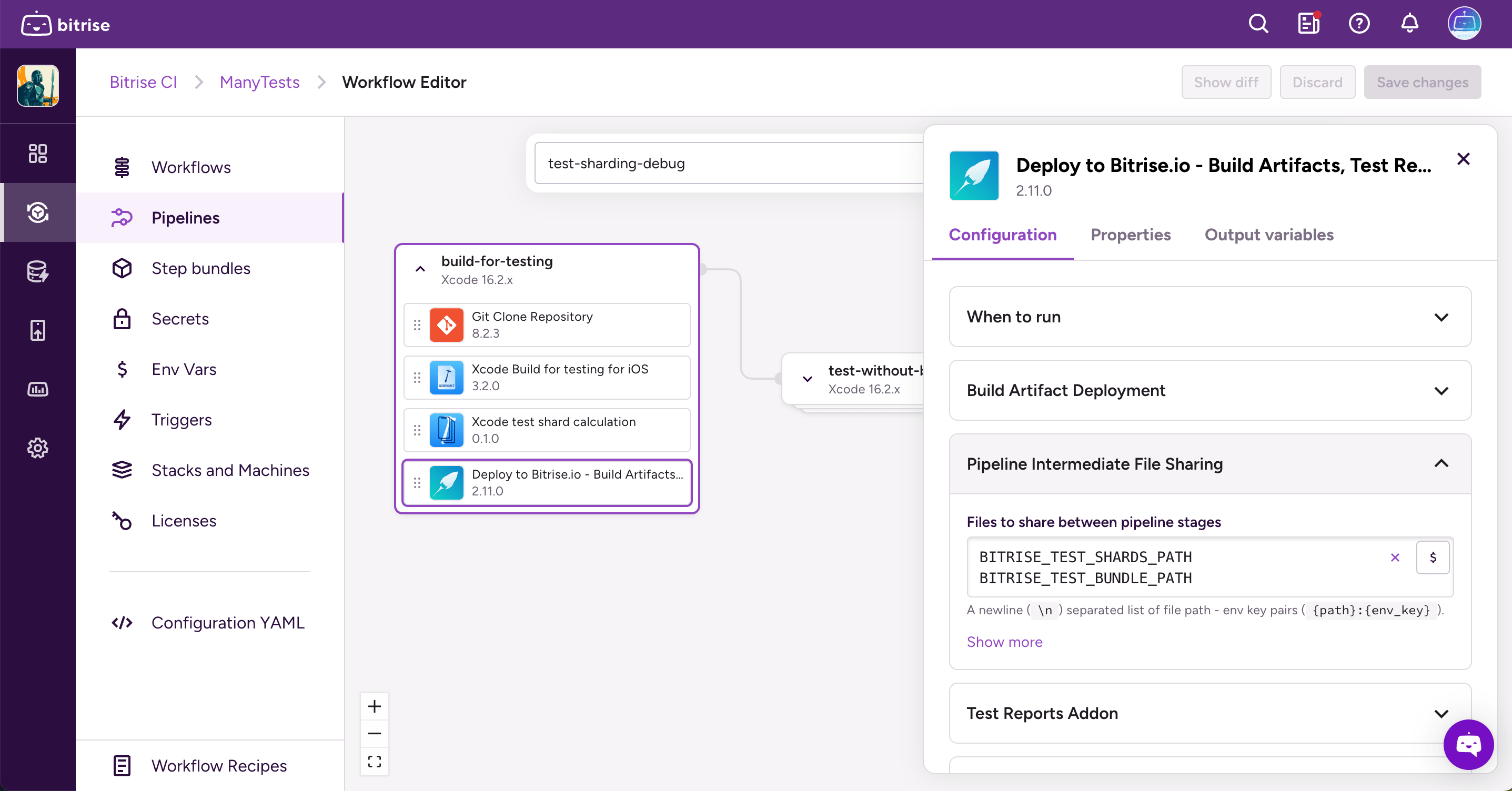
Add the Deploy to Bitrise.io Step to the same Workflow.
-
Find the Pipeline Intermediate File Sharing input group.
-
In the Files to share between Pipeline Workflows input, add two Env Vars:
- BITRISE_TEST_SHARDS_PATH
- BITRISE_TEST_BUNDLE_PATH
These are output variables automatically generated.
-
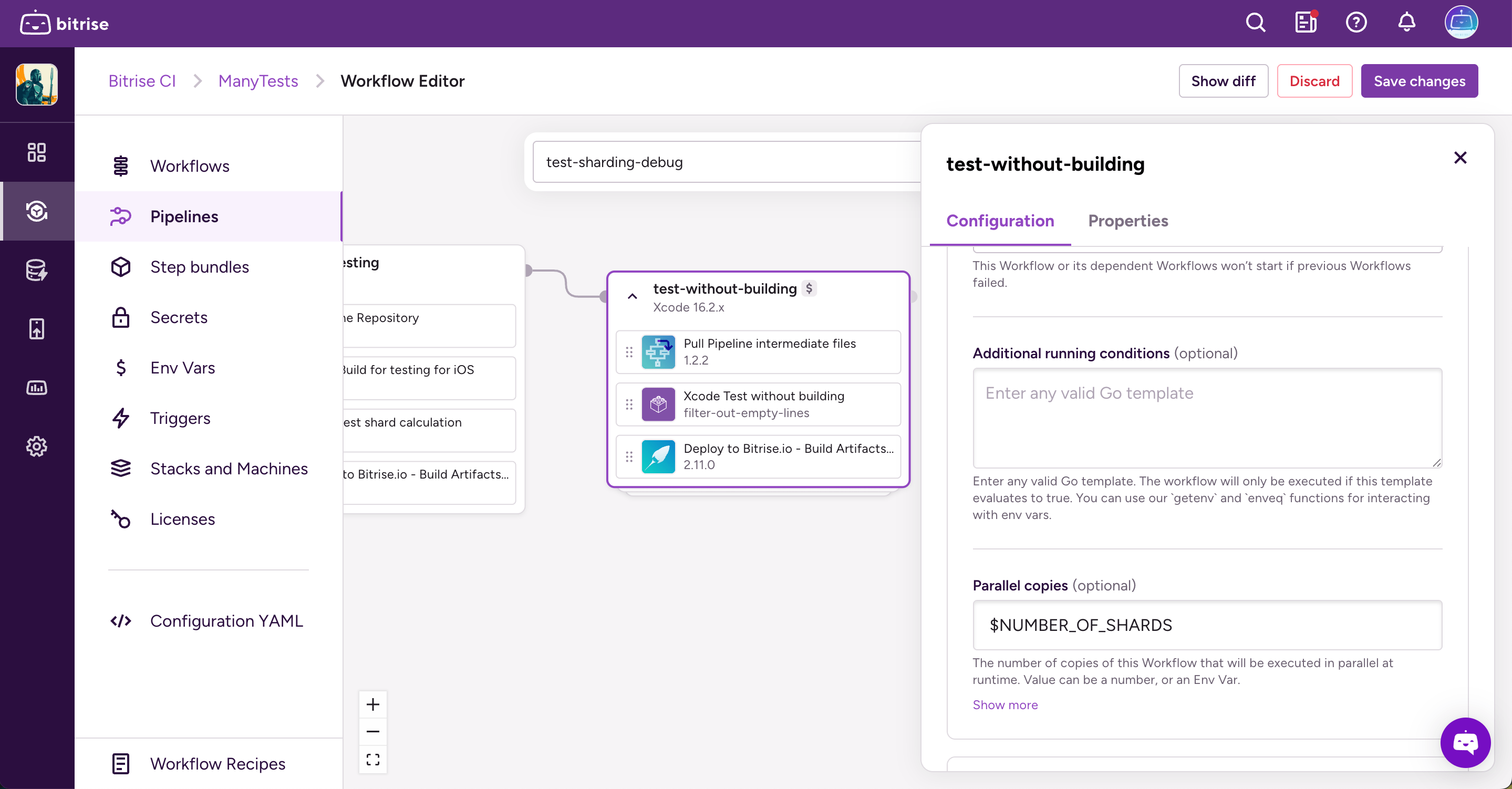
Open Pipelines and in your Pipeline, find the Workflow that runs your tests and click the gear icon to open the edit menu for the Workflow.
-
On the Configuration tab, open the Pipeline Conditions section.
-
Add the NUMBER_OF_SHARDS Environment Variable to the Parallel copies input.
For more information about how to configure parallelism: Parallelism in Pipelines.
-
Open your Pipeline and in the Pipeline conditions section, add the number of shards you need to the Parallel copies input.
For more information about how to configure parallelism: Parallelism in Pipelines.
-
Add the Gradle Runner Step to your Workflow.
-
Open the Step options and go to the Configuration tab.
-
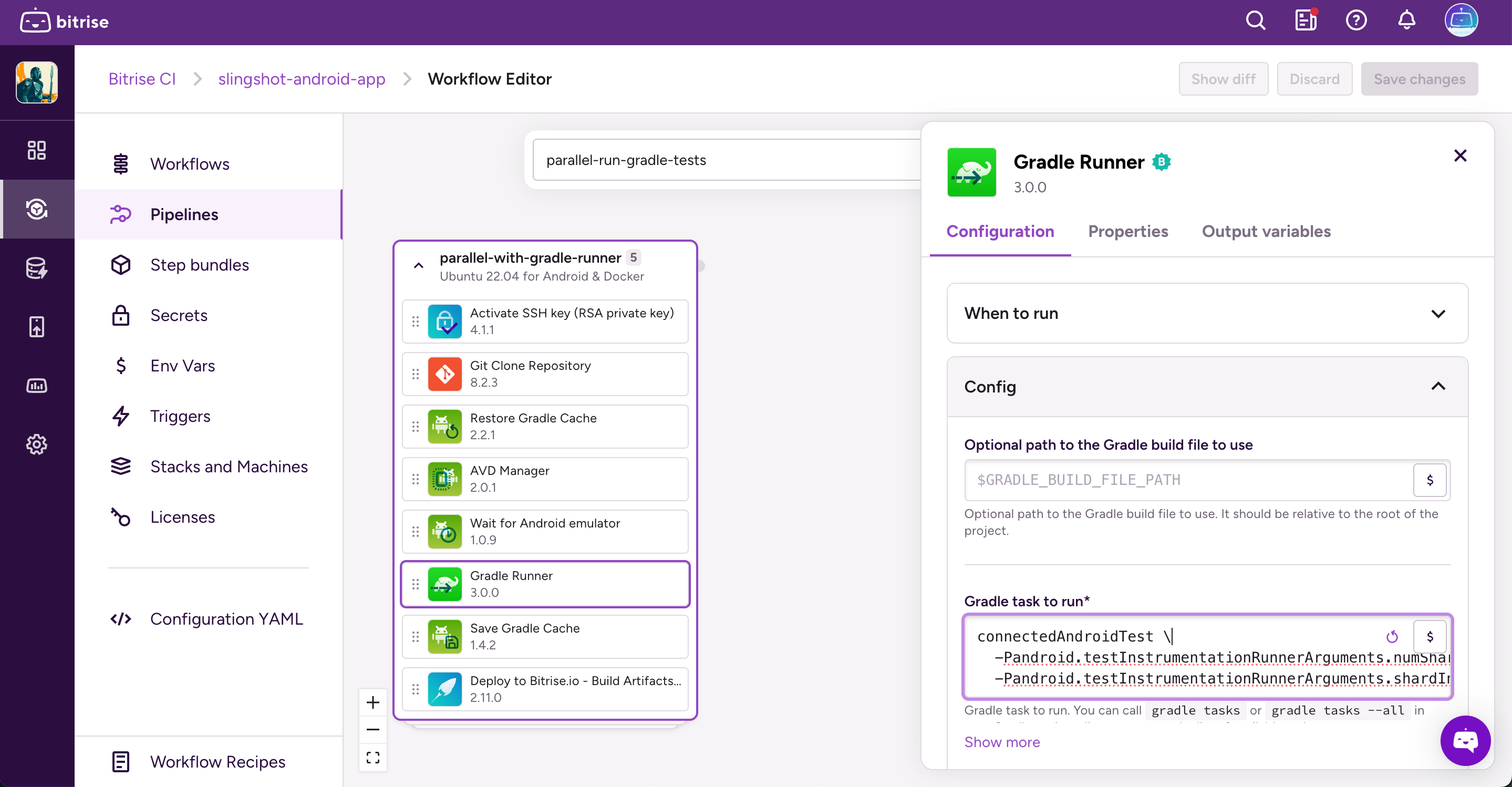
In the Config input group, find the Gradle task to run input and add the following task to it:
connectedAndroidTest \-Pandroid.testInstrumentationRunnerArguments.numShards=$BITRISE_IO_PARALLEL_TOTAL \-Pandroid.testInstrumentationRunnerArguments.shardIndex=$BITRISE_IO_PARALLEL_INDEXThe $BITRISE_IO_PARALLEL_TOTAL and $BITRISE_IO_PARALLEL_INDEX environment variables will tell Gradle which tests to apply to each shard.