Converting a Pipeline with stages into a graph Pipeline
You can convert your old, existing Pipelines that contain stages into graph Pipelines without stages. This unlocks the full benefits of using Pipelines: faster build times, more granular configuration, and a full editing capability in the Workflow Editor.
Pipelines with stages are read-only in the Workflow Editor. To edit them, you need to convert them first. The original Pipeline won't be removed and will still work after the conversion, so your builds won't break. You can switch to using the new Pipeline when all your configurations are ready.
All new Pipeline features and improvements will only be available for graph Pipelines. Pipelines with stages will have no further features added.
To convert a Pipeline:
-
Open the Workflow Editor and select the Pipeline you want to convert.
-
Click Convert Pipeline in the banner at the top of the canvas.
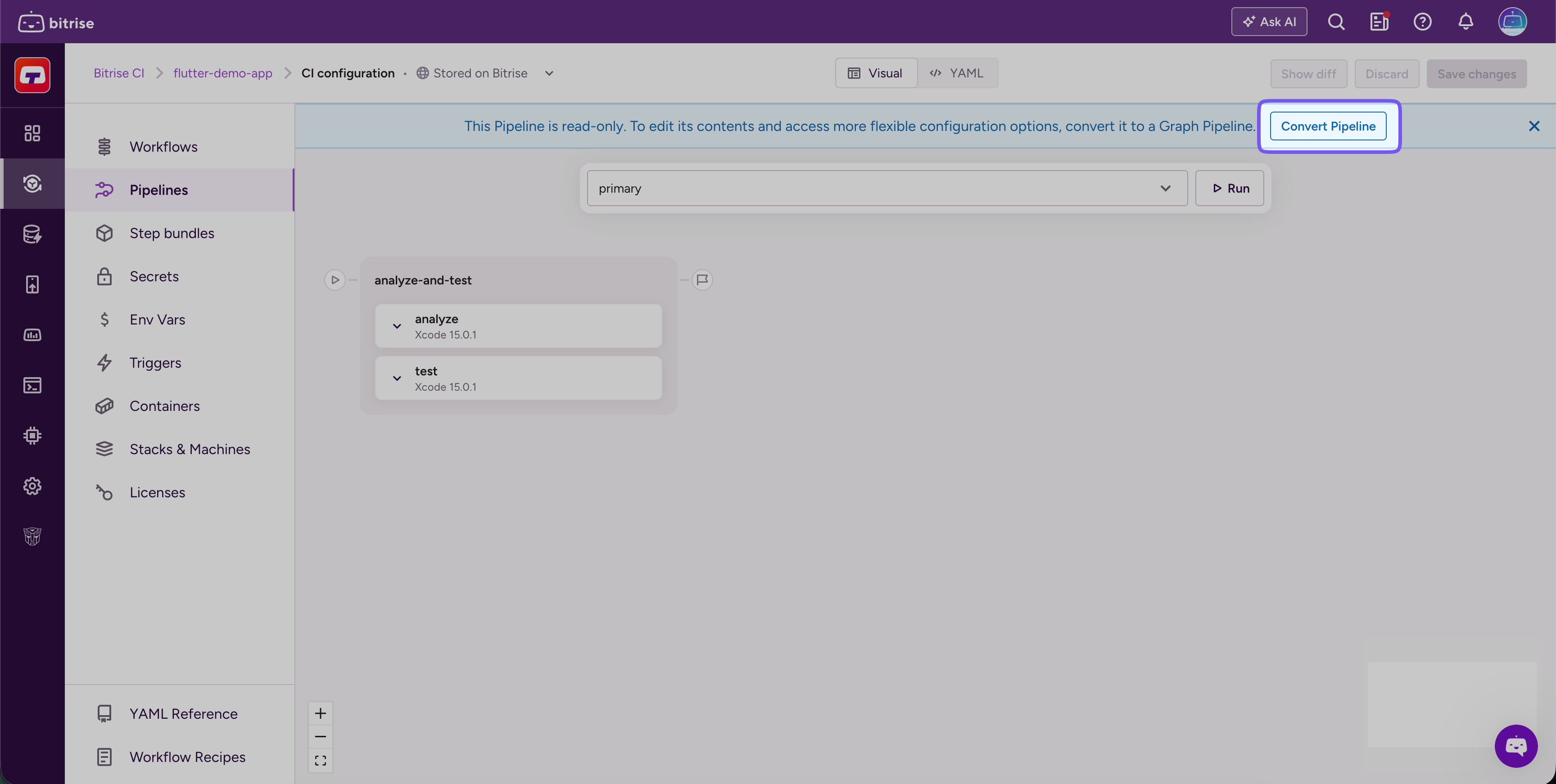
Bitrise creates a converted copy named
<original-id>_convertedand selects it automatically. -
Review and adjust the converted Pipeline as needed.
No cycles allowedIf your Pipeline conversion creates a cycle in the graph, you won't be able to save the Pipeline. You have to manually edit the configuration to remove the cycle.
-
Click Save changes in the top right corner.