Creating a CodePush deployment
Create a CodePush deployment to get your deployment key. You need the deployment key to release CodePush updates to your apps.
You can create a deployment either via the API or on the Release Management GUI.
- GUI
- API
-
For each React Native project, make sure you have two apps in Release Management: one for iOS, one for Android.
-
Open your app in Release Management.
-
On the left, select Configuration.
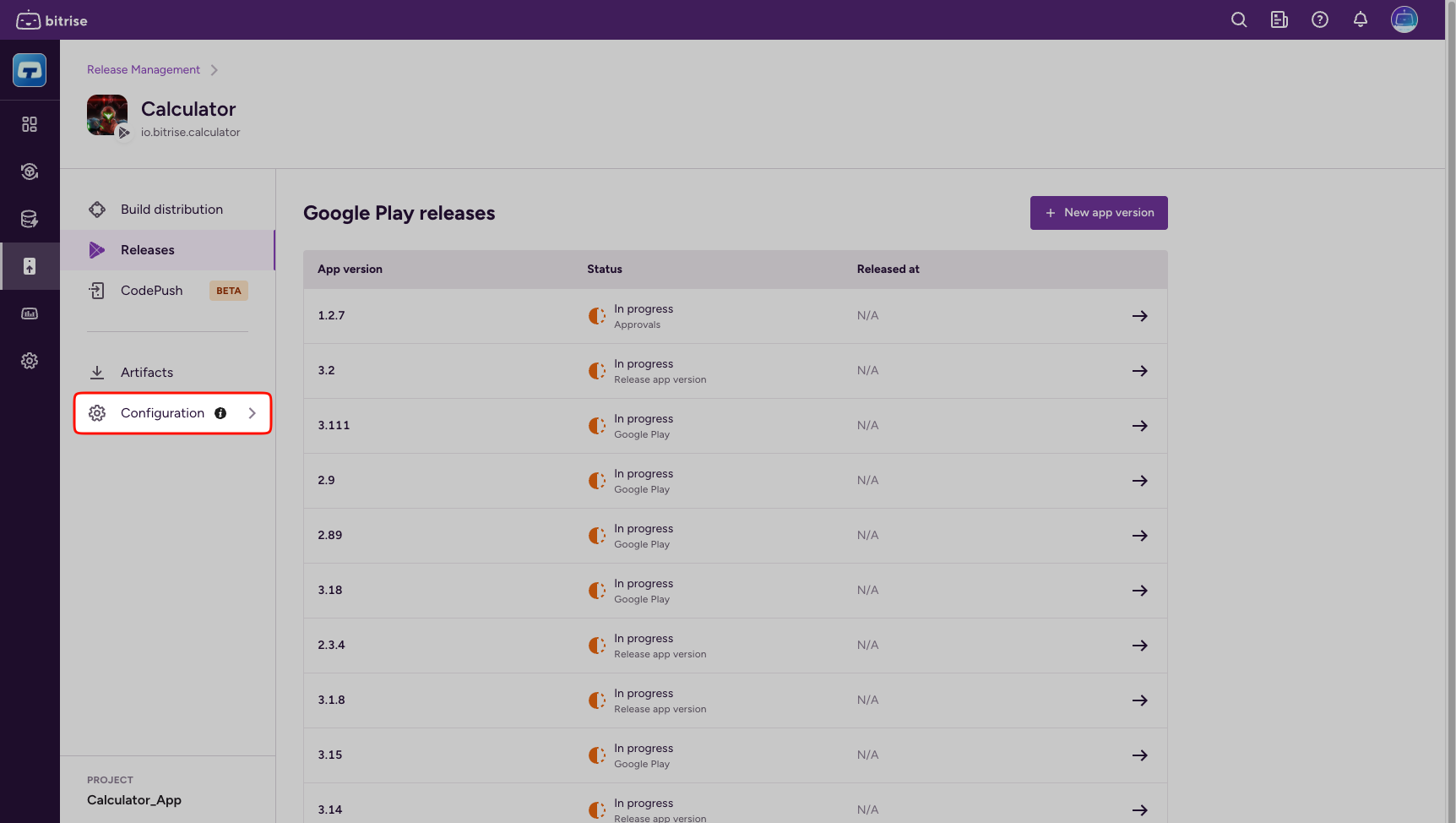
-
Select Deployments.
-
Click New deployment.
-
Enter a name.
If you have multiple deployments, each must have a unique name. We recommend including the target of the deployment in the name (for example, Staging Deployment).
-
In the Deployment key field, you can paste an existing deployment key.
If you leave it blank, Bitrise generates a secure deployment key for you.
-
Make sure you have a personal access token or a workspace API token.
A token is required for authorization with the Release Management API.
-
For each React Native project, make sure you have two apps in Release Management: one for iOS, one for Android.
-
Get the app ID for each app. You can see it in the URL of the app page: https://app.bitrise.io/release-management/workspaces/<workspace-id>/connected-apps/<connected-app-id>.
ID from the APIYou can use the API to add apps. The response of the
/connected-appsendpoint contains anidfield: this is the app ID you need. -
Create a CodePush deployment for each app by calling the
/connected-apps/{connected_app_id}/code-push/deploymentsendpoint. The request requires:- The connected app ID.
- A token for authorization.
- A name you will use for the deployment.
In this example, we're using the name
prod:curl -X 'POST' \'https://api.bitrise.io/release-management/v1/connected-apps/<connected-app-id>/code-push/deployments' \-H 'accept: application/json' \-H 'authorization: <access-token>' \-H 'Content-Type: application/json' \-d '{"name": "prod"}'Existing deploymentKeyIf you already have a
deploymentKey(for example, if you are migrating your setup from Microsoft App Center), you can use thekeyparameter in the API request:{"name": "prod","key": "<existing-deploymentKey>"} -
Copy the base64-encoded
keyreturned in the response. This is the CodePush deployment key: you need this to configure your app for CodePush.