Personal access tokens
You can use a personal access token to authenticate to the Bitrise API and the Bitrise CLI. You can create a new personal access token at any time but once you created it, you can never view or copy its value again.
Creating a personal access tokenClick to copy link
To create a new personal access token:
-
Log in to Bitrise, and select Bitrise CI from the left navigation menu.
-
In the upper right corner, click the profile image to open the dropdown menu.
-
Select the Account settings option.
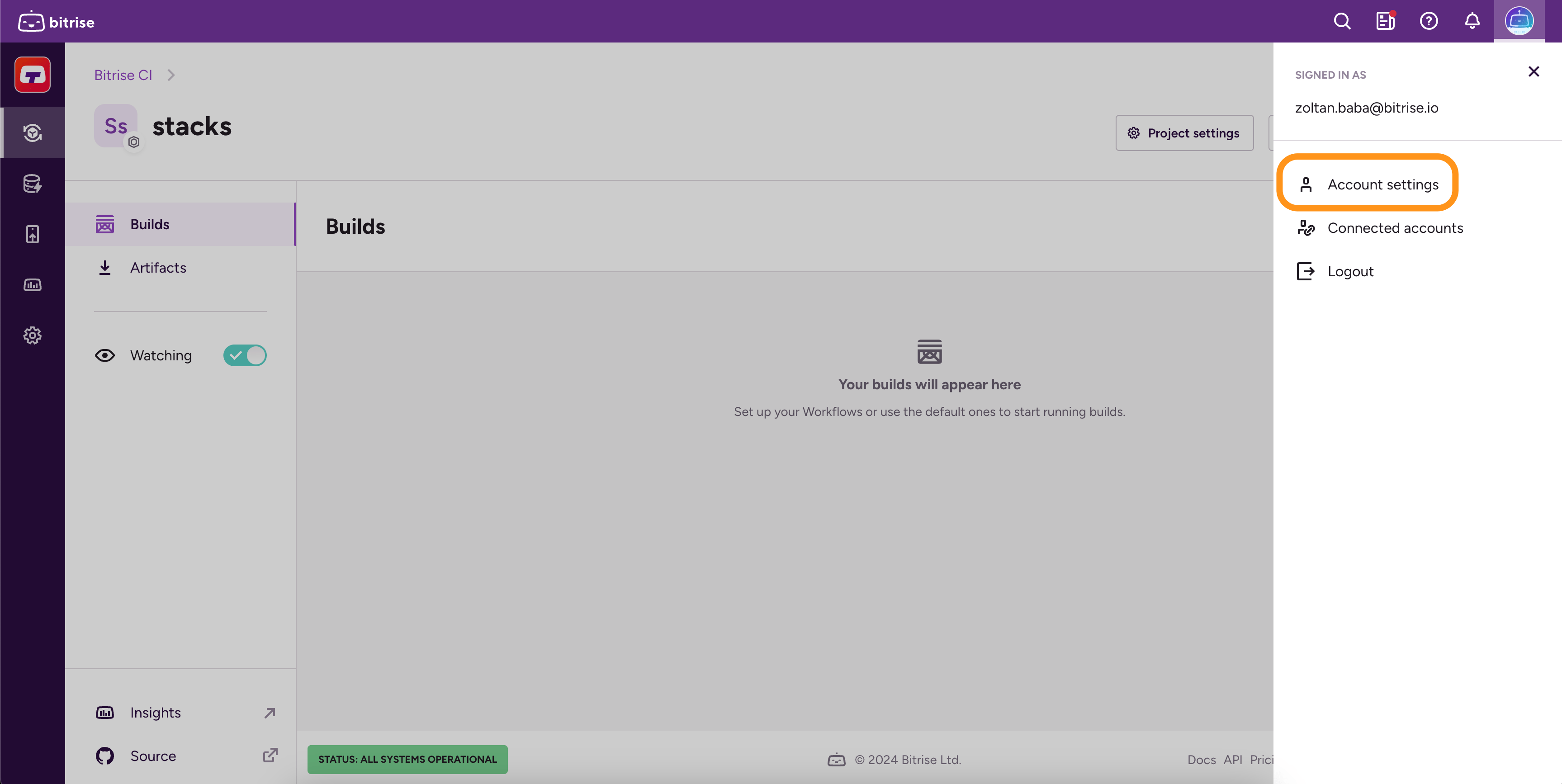
-
On the left, select the Security tab.
-
Scroll down to the Personal access tokens section, and click on Create token.
-
Fill out the Name field and select an expiration option for your token.
-
Click Next.
-
In the Personal Access token pop-up window, you can see your newly generated token.
-
Click Copy and close to store token in the clipboard so you can paste it somewhere safe, and to finalize.
Regenerating a personal access tokenClick to copy link
You can regenerate an existing personal access token at any time. However, you can't view the value of the previously generated token again, only the new value.
-
Log in to Bitrise, and select Bitrise CI from the left navigation menu.
-
In the upper right corner, click the profile image to open the dropdown menu.
-
Select the Account settings option.
-
Go to the Security tab.
-
Find your token in the Personal access tokens section.
-
Click Edit.
-
Click Regenerate token.
-
Copy the new token, and then click Copy and close.