Configuring auto-upload
You can automatically upload your release to Google Play or TestFlight. When auto-upload is enabled, all successful builds are uploaded automatically.
If auto-upload is disabled, builds will have to be uploaded manually.
Configuring auto-upload for a releaseClick to copy link
-
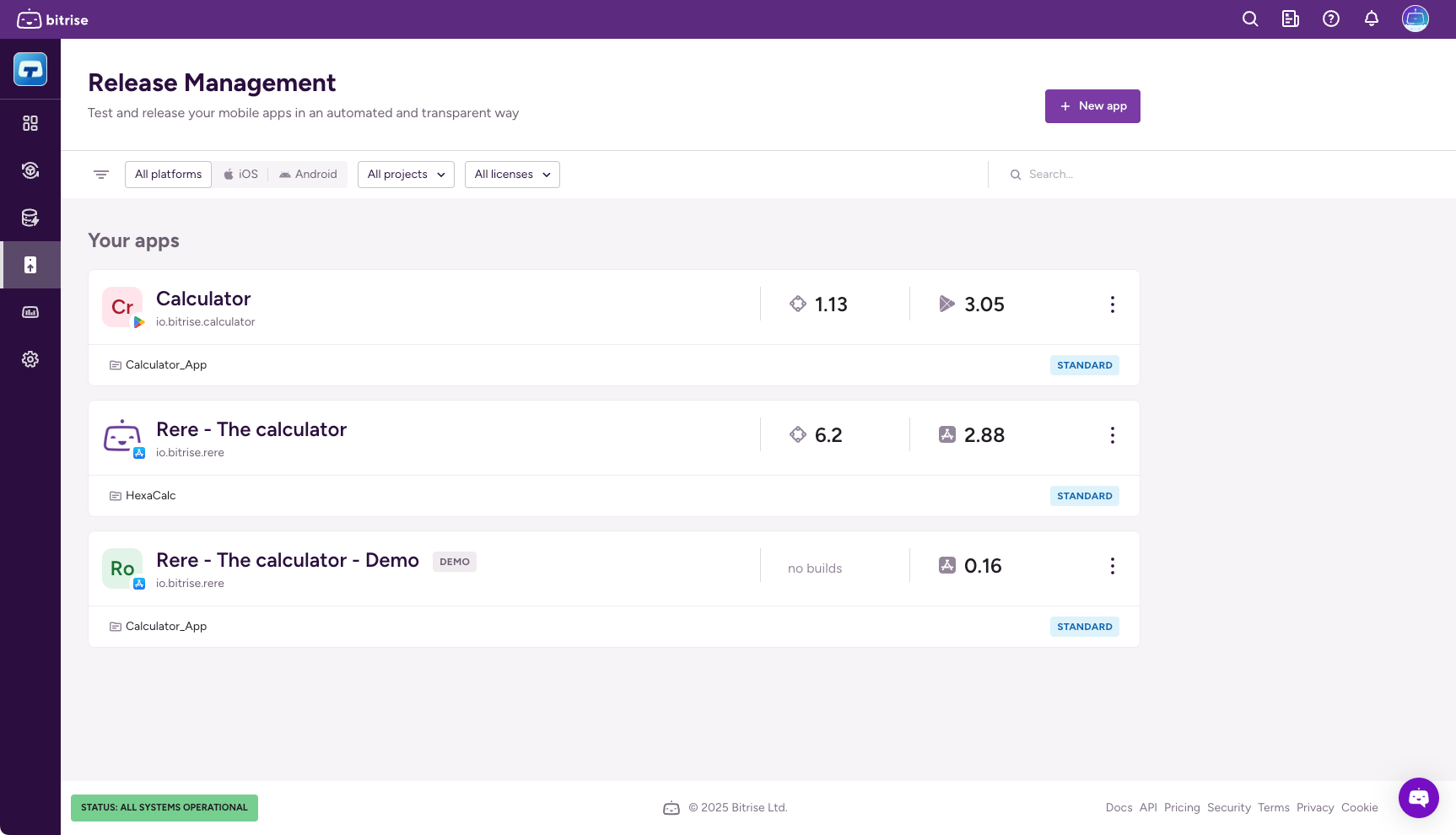
Open Release Management, and select your app from the list.
-
Select Releases and then select the release you need.
-
Select Configuration.
-
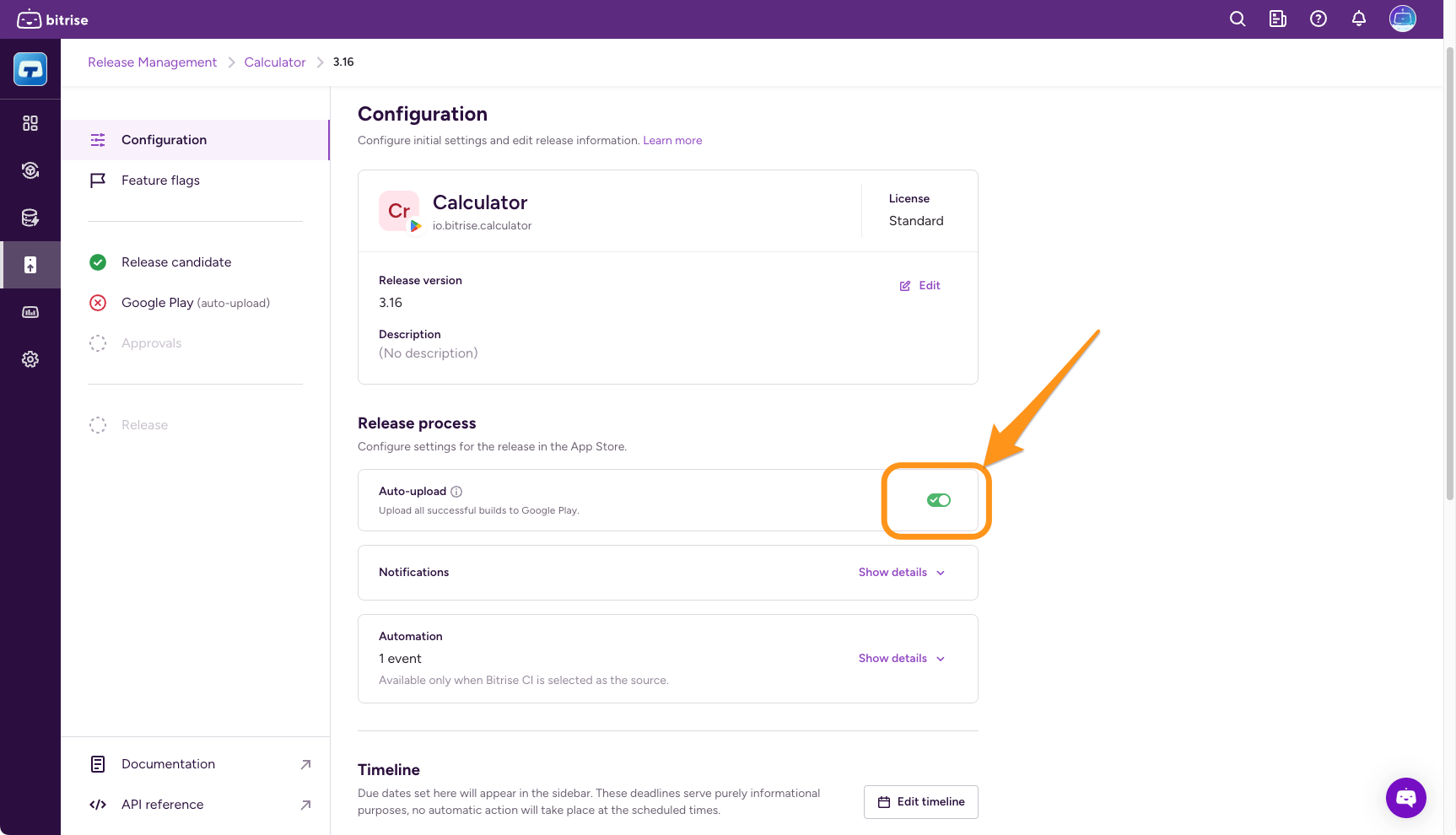
Find the Release process section.
-
Find Auto-upload and toggle it on.
Configuring auto-upload as a release presetClick to copy link
You can enable auto-upload as part of a release preset template. This will apply to all new releases that use the template.
-
Open Release Management and select your app from the list.
-
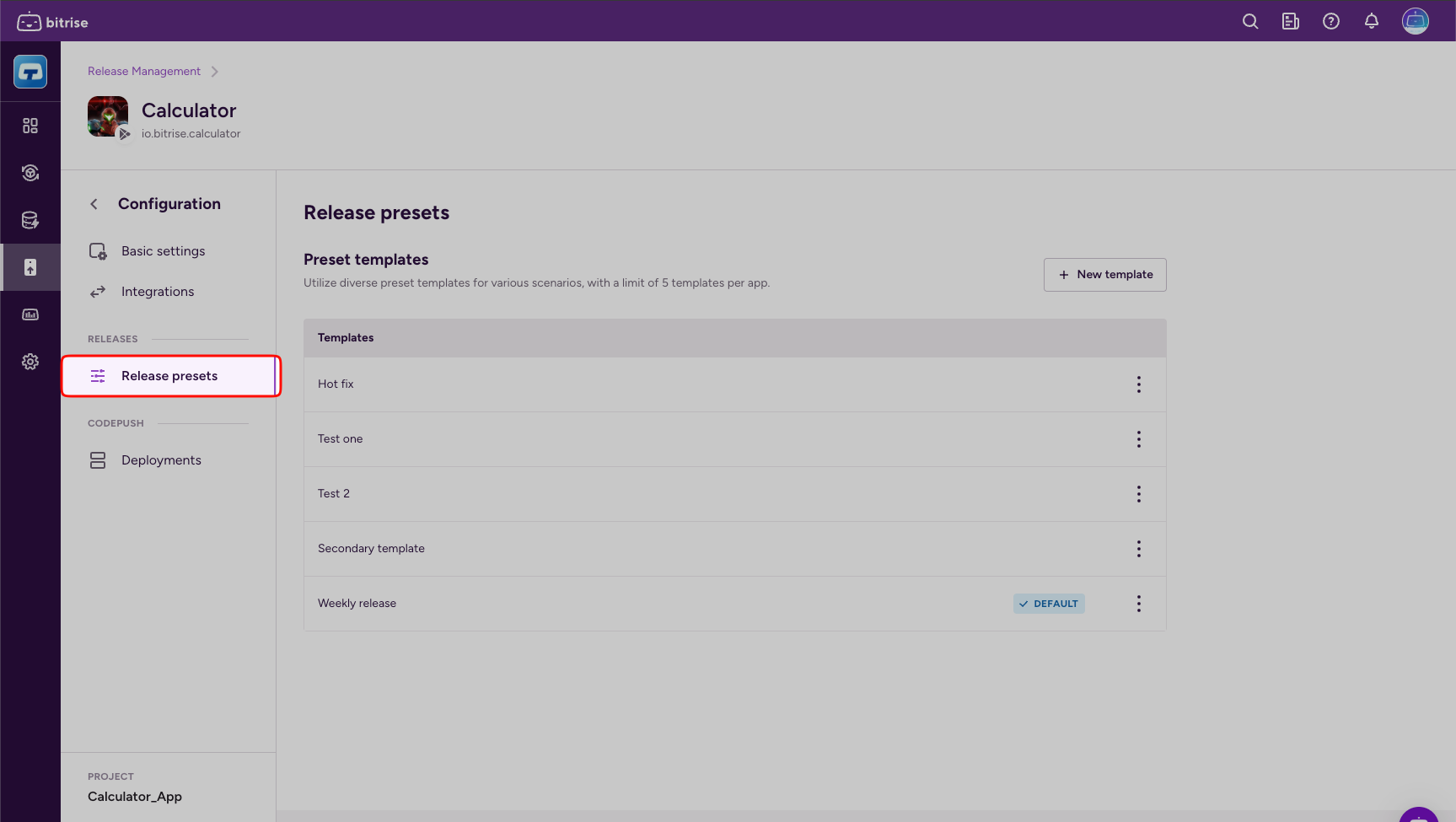
Select Release presets from the left navigation menu.
-
Click the options menu (⋮) next to the template you need, and select Change.
-
Find Auto-upload and toggle it on.