Accessing a build's configuration YAML
Once you ran a build on Bitrise, you can always check the bitrise.yml configuration the build used. You can download it, compare it to the current bitrise.yml file, and you can even replace the current configuration file with the build's configuration file.
To download it from the command line, use bitrise build yml or bitrise yml get --build. Both commands need Bitrise CLI 3.0.0 or newer.
To access a build's configuration file:
-
Open Bitrise CI, select a project and then select one of the builds of the project.
-
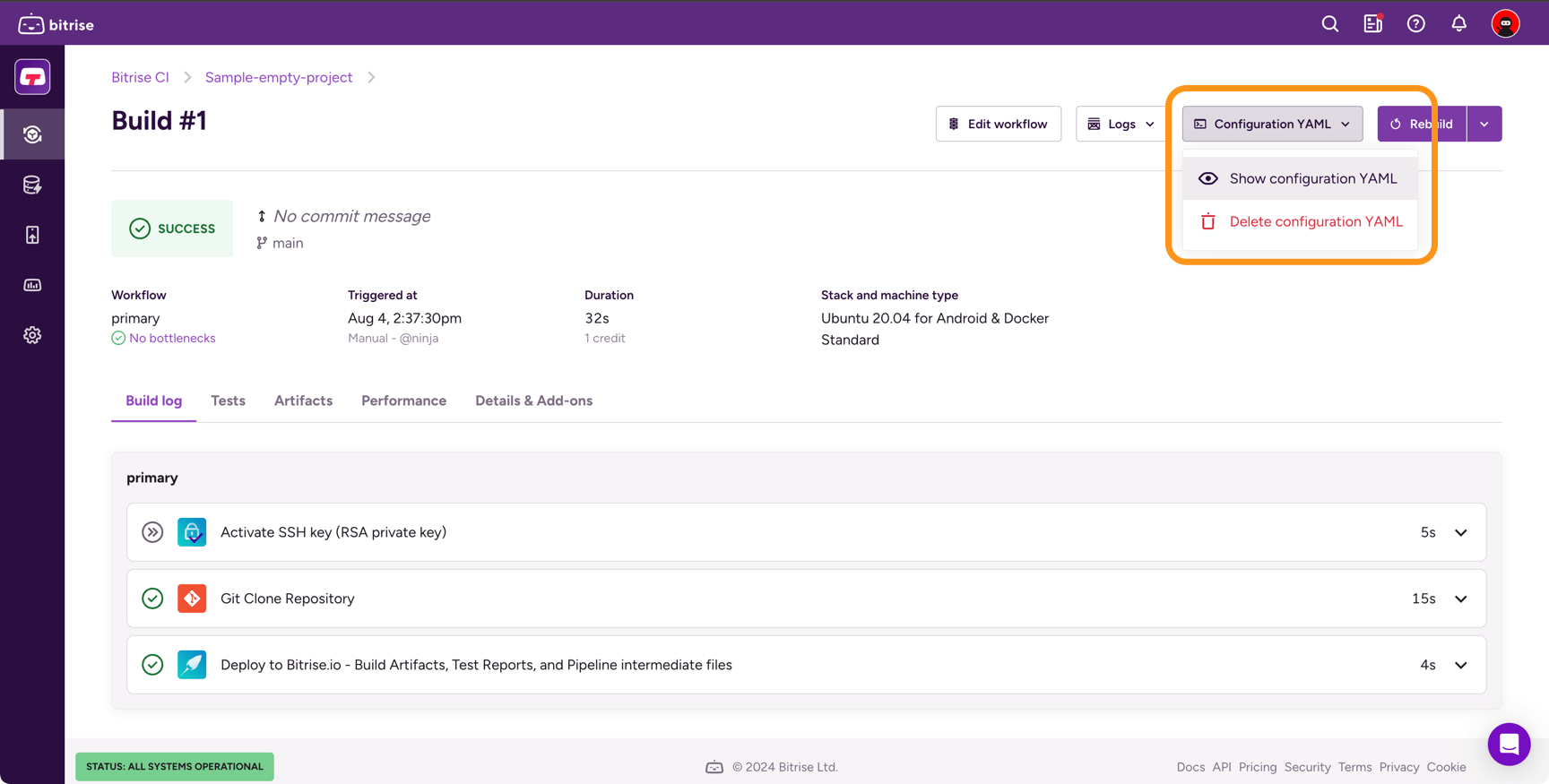
Select Configuration YAML on the top right.
-
In the dropdown menu, select View configuration YAML.
Checking changes in the configuration YAMLClick to copy link
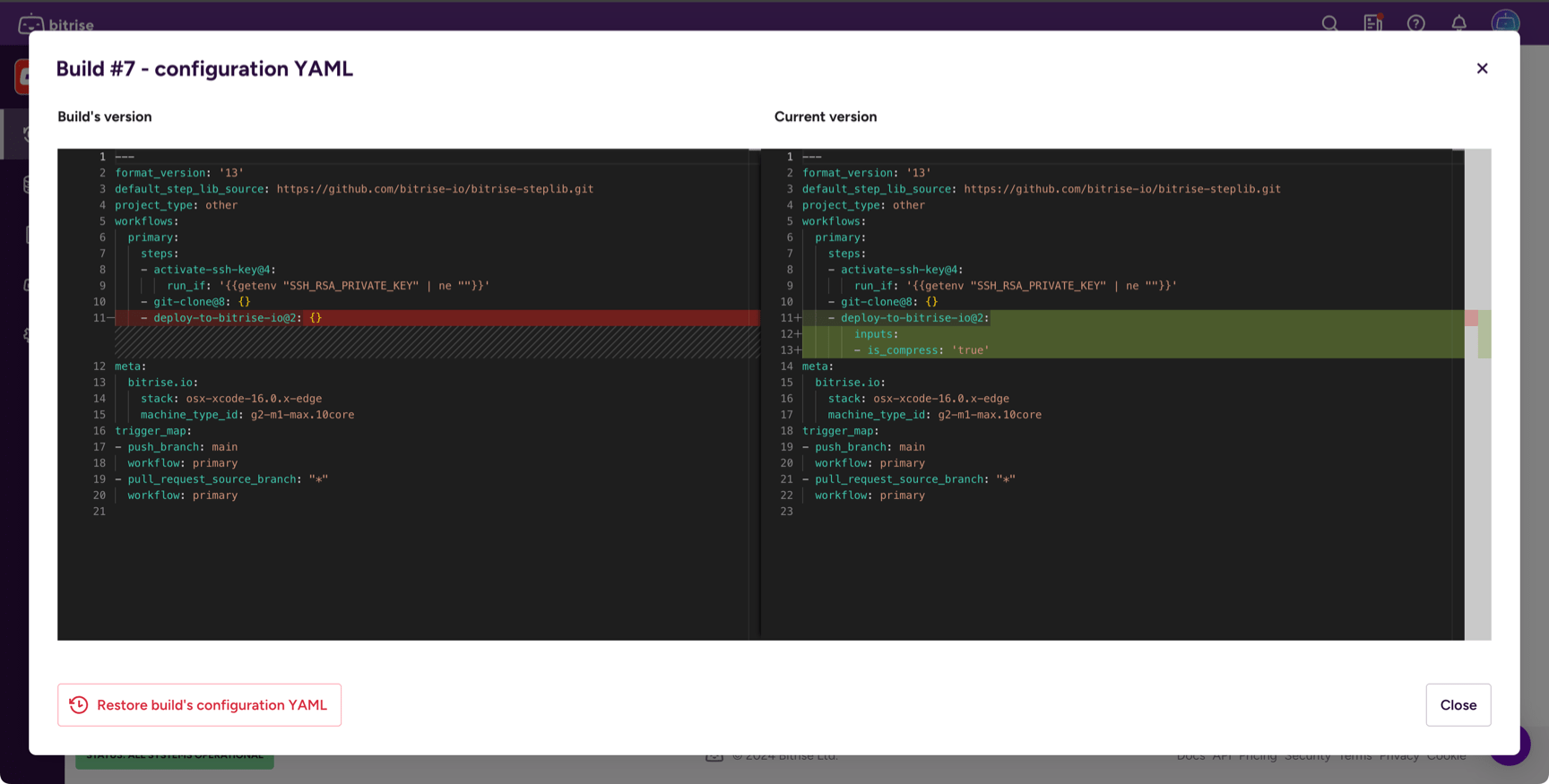
On the Configuration YAML page of a build, you can see:
- The YAML configuration used by the build.
- If the build used a different configuration, you can also see the current configuration YAML.
The page also shows the differences between the current configuration and the configuration used by the build:
- Green means added content.
- Blue means modified content.
- Red means deleted content.
Restoring the configuration YAMLClick to copy link
You can always change the current configuration YAML to the configuration of one of your app's previous builds. This overrides the current configuration. To do so:
- Open Bitrise CI, select a project and then select one of the builds of the project.
- Select Configuration YAML on the top right.
- In the dropdown menu, select View configuration YAML.
- In the dialog, click Restore configuration YAML.
- Click Overwrite in the confirmation dialog.
Deleting a build's configuration YAMLClick to copy link
If you wish, you can simply delete a build’s bitrise.yml file. But please note that this action cannot be undone: nobody will be able to view that particular build’s bitrise.yml file once you delete it.
-
Open Bitrise CI, select a project and then select one of the builds of the project.
-
Select Configuration YAML on the top right.
-
In the dropdown menu, select Delete configuration YAML.
-
In the confirmation dialog, click Delete configuration YAML.