Legacy project-based triggers
This page is about legacy triggers that are defined on a project level. For new users, we strongly recommend using the target-based build triggers which are defined on the level of Workflows and Pipelines as they allow more flexibility in designing your triggers: Configuring build triggers.
Legacy or project-based triggers are defined on the project level: that is, the top level of your configuration YAML file. The trigger defines which Workflow or Pipeline should run when a given code event happens. A single code event can only trigger a single build.
Creating project-based triggersClick to copy link
Project-based triggers are defined on the project level: that is, the top level of your configuration YAML file. The trigger defines which Workflow or Pipeline should run when a given code event happens. A single code event can only trigger a single build.
- Workflow Editor
- Configuration YAML
-
Log in to Bitrise and select Bitrise CI on the left, then select your project.
-
Click the Workflows button on the main page.
-
On the left, select Triggers.
-
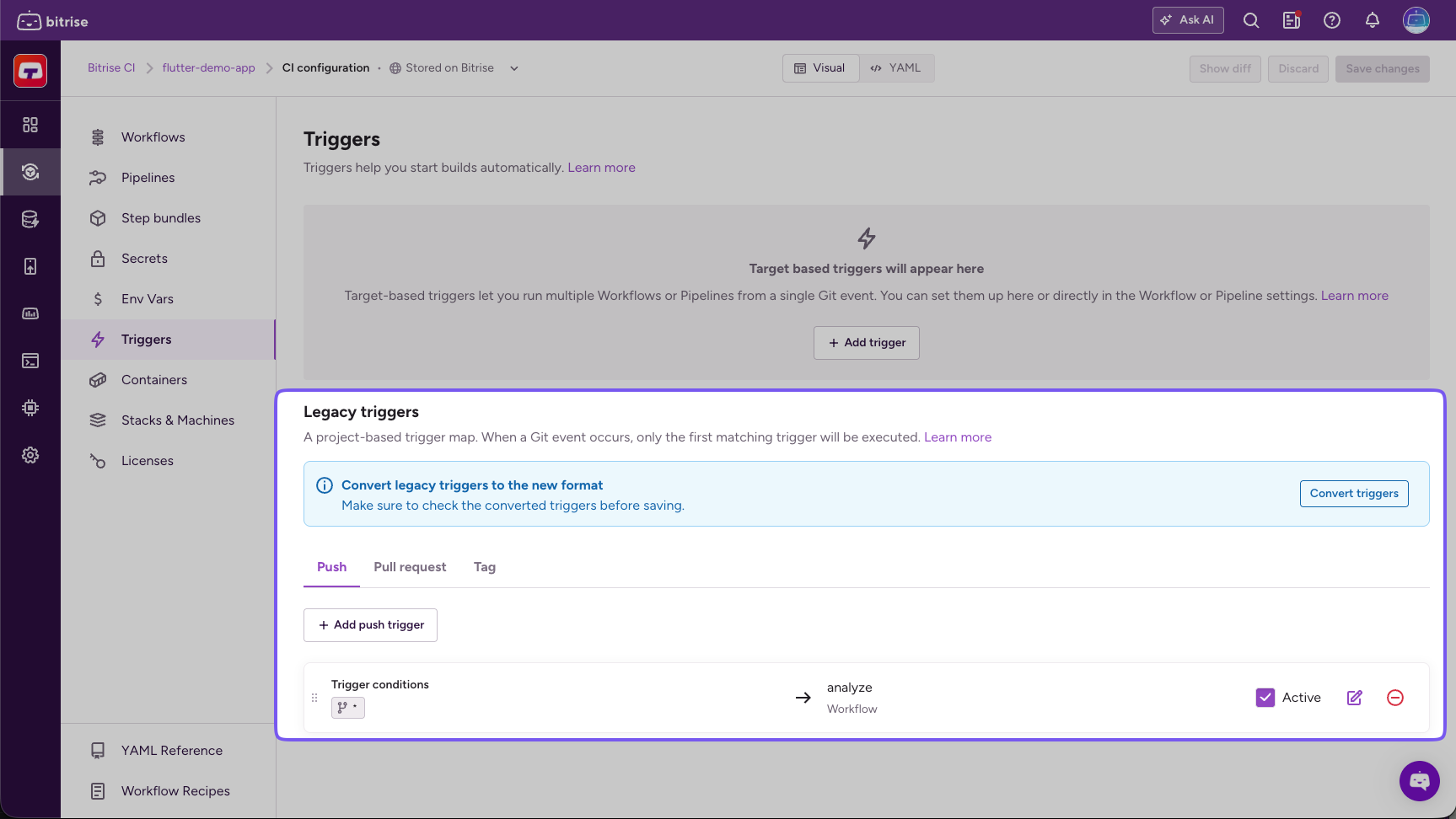
Find the Legacy triggers section.
-
Select the trigger type and click the Add trigger button.
For example, if you want to set up a trigger for pull request events, select the Pull Request tab and click the Add pull request trigger button.
-
Configure your trigger in the dialog.
When setting multiple conditions, all conditions must be fulfilled for a build to start. You can use regular expressions for any of the condition types.
You can find the full list of supported trigger conditions here: Supported trigger conditions.
-
When done, click Add trigger.
-
Open your configuration YAML file.
-
In the Workflow, find the
trigger_mapproperty and set up your trigger under it. You need:- A
typeproperty to define the type of the code event. - A trigger condition. For example,
commit_message. - The Workflow or Pipeline you want to trigger.
trigger_map:- type: pushcommit_message: your_messageworkflow: my-workflowYou can find the exact syntax for the different trigger types here: YAML syntax for build triggers.
- A
-
Save the configuration.
Disabling a project-based triggerClick to copy link
To disable a project-based build trigger:
- Workflow Editor
- Configuration YAML
-
Open the Workflow Editor on Bitrise.
-
On the left, select Triggers.
-
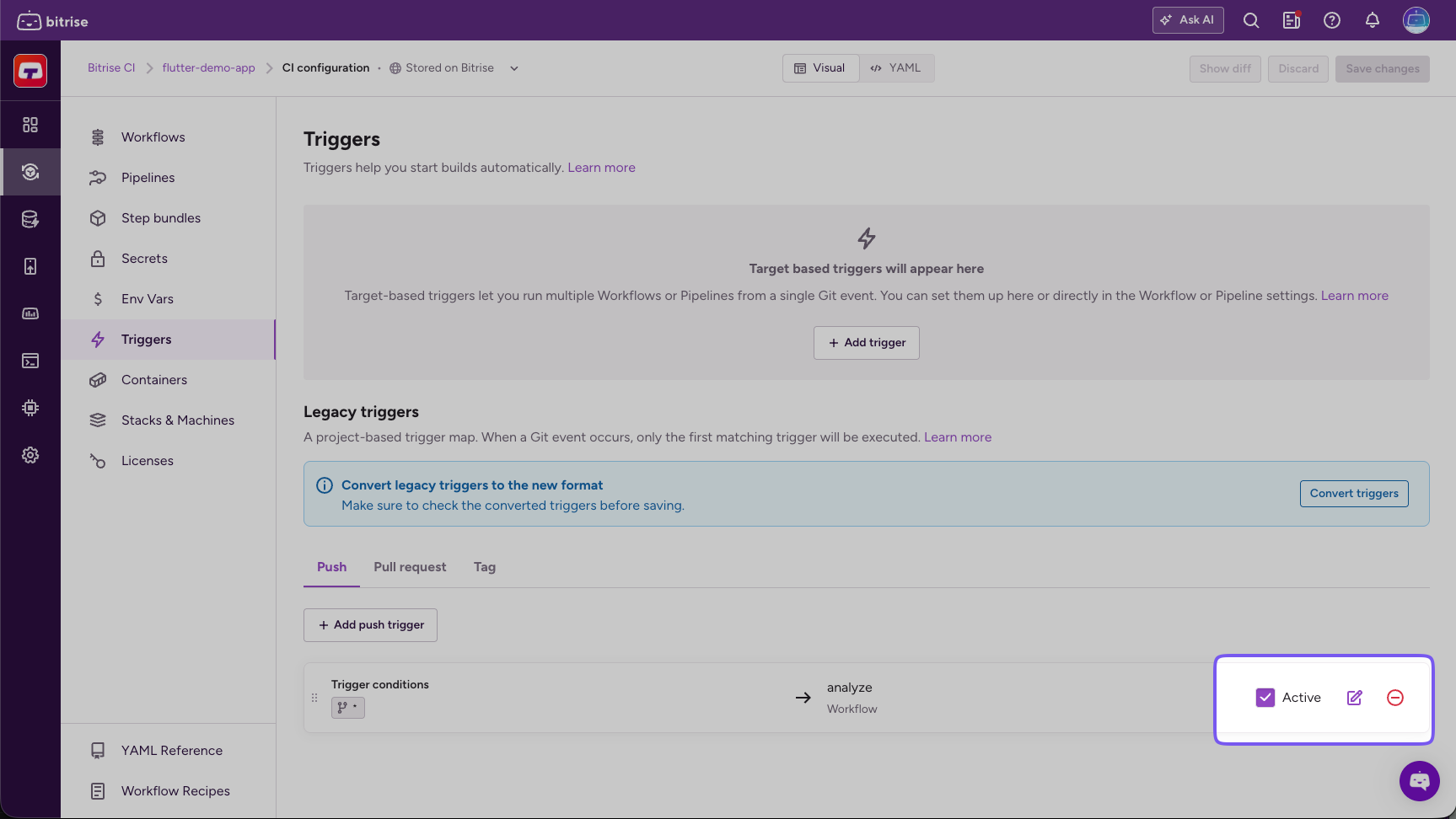
Select the appropriate tab, depending on the trigger you want to deactivate.
-
Uncheck the Active checkbox to disable the trigger.
-
Open your configuration YAML file.
-
Find the
trigger_mapproperty and the trigger you want to disable. -
Add
enabled: falseto it.trigger_map:- type: pushpush_branch: mainworkflow: primaryenabled: false
Project-based trigger syntaxClick to copy link
A project-based trigger has three main elements in its YAML syntax:
- The type of the trigger:
push,pull_request, ortag. - The trigger condition. For example, the source branch of a pull request.
- The Workflow or Pipeline to be triggered.
One trigger means one build: a single project-based trigger can only trigger a single Workflow or Pipeline. You can chain Workflows together run several Workflows in succession from a single trigger.
Below is a single trigger that triggers a build with the primary Workflow when a pull request is opened from any branch.
trigger_map:
- pull_request_source_branch: "*"
  type: pull_request
  workflow: primary
Multiple matching triggersClick to copy link
For project-based triggers, the first trigger with matching conditions triggers a build. This means the order of the triggers is important:
trigger_map:
- type: push
  push_branch: main
  workflow: primary
- type: push
  commit_message: deploy
  workflow: deploy
The first trigger triggers the primary Workflow if code is pushed to the main branch of the app's repository.
The second trigger triggers the deploy Workflow if a commit with the commit message deploy is pushed to any branch of the repository.
What happens when a commit is pushed to the main branch with the commit message deploy? The commit matches all conditions of the first trigger so the primary Workflow is triggered. In this scenario, the deploy Workflow is NOT triggered, even though the commit matches all conditions of that trigger, too.
Multiple trigger conditionsClick to copy link
If you define multiple trigger conditions in a single project-based trigger then all conditions have to match in order to trigger a build. For example:
trigger_map:
- pull_request_target_branch: "main"
  pull_request_source_branch: "develop"
  type: pull_request
  workflow: primary
This will only select the primary workflow if the pull request’s source branch is develop AND the target branch is main.
Project-based trigger componentsClick to copy link
The components listed on this page are valid for legacy, project-based triggers.
| Component | Description | Accepted values | Default value |
|---|---|---|---|
type | Defines the type of a project-based trigger. A trigger with a given type only accepts trigger conditions belonging to that type. | - push - pull_request - tag | N/A |
enabled | A boolean property that defines if the trigger is currently active. | - true - false | true |
workflow or pipeline | The Workflow or Pipeline that is triggered. You can't set both. | The exact name of the Workflow or Pipeline. | N/A |
| Component | Description | Default value |
|---|---|---|
push_branch | The branch of the repository where code is pushed to trigger a build. | * |
commit_message | The commit message to trigger a build. | * |
changed_files | The path to a file or folder where changes should trigger a build. | * |
| Component | Description | Default value |
|---|---|---|
pull_request_source_branch | The branch of from which the pull request is opened. | * |
pull_request_target_branch | The branch which is the merge target of the pull request. For a pull request in a GitHub stack, Bitrise matches this against the base branch of the stack. | * |
pull_request_label | The pull request label. | * |
draft_pull_request_enabled | A boolean property that defines if draft pull requests trigger builds. | true |
pull_request_comment | A comment posted on a pull request. | * |
commit_message | A specific commit message in pushes to a pull request. | * |
changed_files | Specific files that are modified in a pull request. | * |
| Component | Description | Default value |
|---|---|---|
tag | The value of the tag. Accepts a string value or a regex property. | * |