Skipping Steps
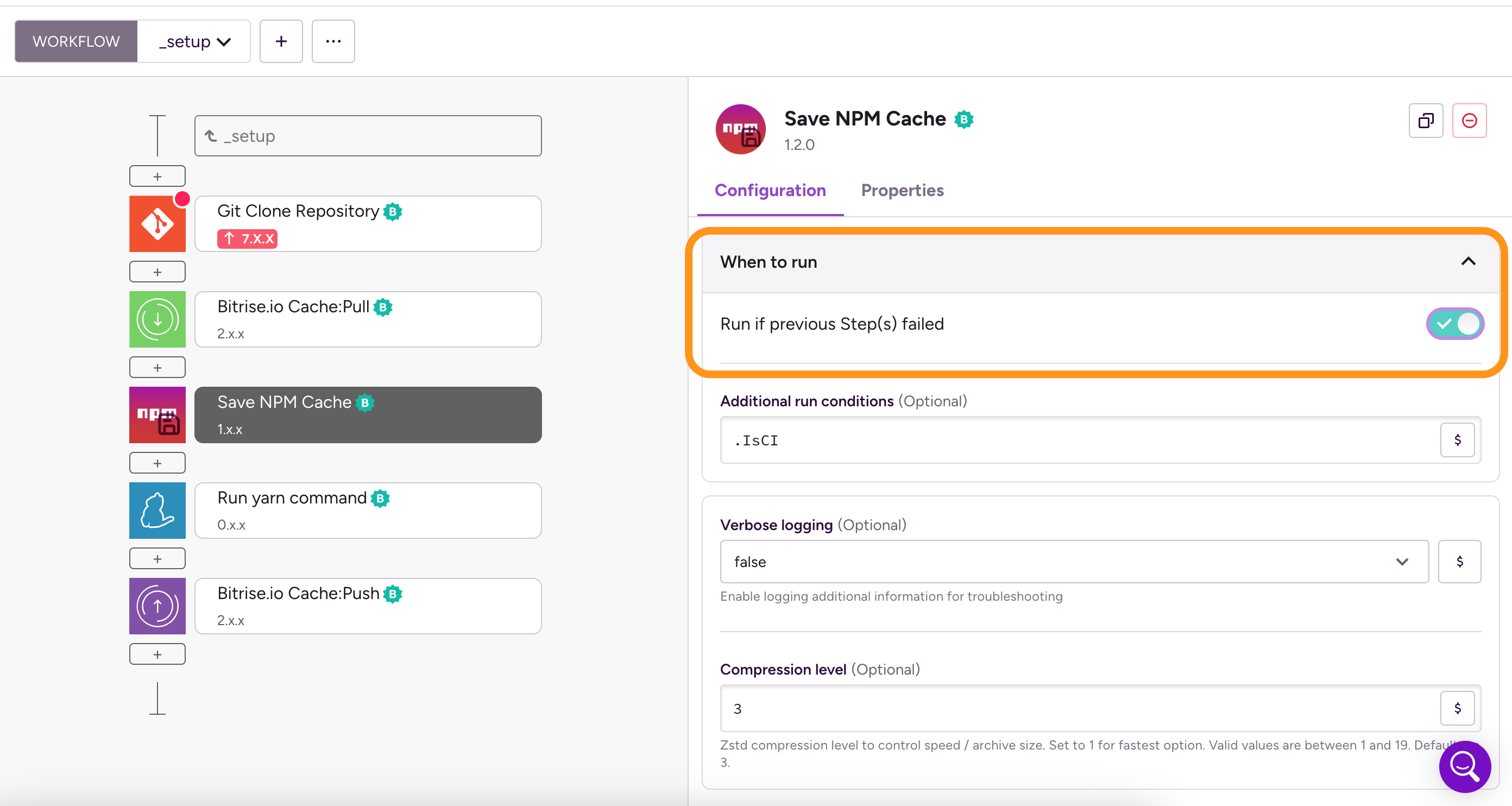
You can configure a Step to run even if a previous Step in the Workflow failed. For example, if the Bitrise.io Cache:Pull Step fails, there is no reason not to run the subsequent Steps.
Enabling a Step conditionally
You can also configure Steps to run only in certain conditions: Enabling or disabling a Step conditionally.
To set a given Step to run even if a previous Step failed:
-
Log in to Bitrise and select Bitrise CI on the left, then select your project.
-
Click the Workflows button on the main page.
-
Select the Step you want to configure to always run.
-
On the right, find and open the When to run section and toggle the Run even if previous Step(s) failed option.