Personal access tokens
You can use a personal access token to authenticate to the Bitrise API and the Bitrise CLI. You can create a new personal access token at any time but once you created it, you can never view or copy its value again.
Creating a personal access tokenClick to copy link
To create a new personal access token:
-
Log in to Bitrise, and select Bitrise CI from the left navigation menu.
-
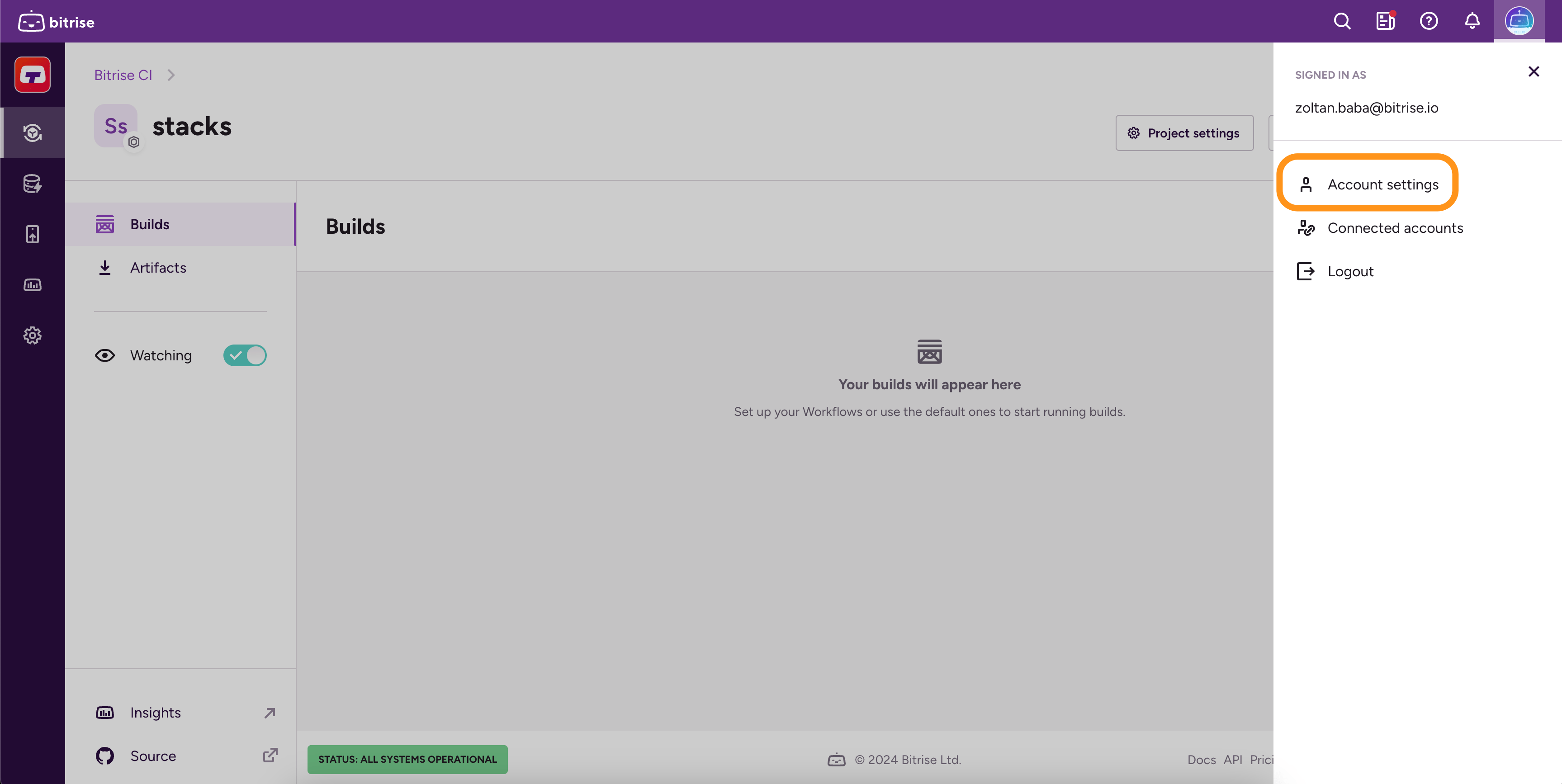
In the upper right corner, click the profile image to open the dropdown menu.
-
Select the Account settings option.
-
On the left, select the Security tab.
-
Scroll down to the Personal access tokens section, and click on Create token.
-
Fill out the Name field and select an expiration option for your token.
-
Leave Notify me before this token expires checked to get an email before the token expires, or clear it if you don't want one. See Expiry notification emails.
-
Click Next.
-
In the Personal Access token pop-up window, you can see your newly generated token.
-
Click Copy and close to store token in the clipboard so you can paste it somewhere safe, and to finalize.
Expiry notification emailsClick to copy link
When you create a personal access token, Notify me before this token expires is checked by default. Bitrise then emails you before the token expires so you can regenerate it or create a new one before your integrations and scripts stop working. When the email arrives depends on the expiration you chose:
- 6 months or 3 months: 30 days and 7 days before the token expires.
- 1 month or 2 weeks: 7 days before the token expires.
You can't turn on notifications for tokens that never expire or that expire in less than 7 days, such as 1 day or 1 hour. The setting stays with the token when you regenerate it, and so does the expiration date: a regenerated personal access token expires on the same date as before, so the notices follow the same schedule. You can't change the setting for an existing token: to turn notifications on or off, create a new token.
Regenerating a personal access tokenClick to copy link
You can regenerate an existing personal access token at any time. However, you can't view the value of the previously generated token again, only the new value.
Regenerating a token keeps its expiration date and its Notify me before this token expires setting. See Expiry notification emails.
-
Log in to Bitrise, and select Bitrise CI from the left navigation menu.
-
In the upper right corner, click the profile image to open the dropdown menu.
-
Select the Account settings option.
-
Go to the Security tab.
-
Find your token in the Personal access tokens section.
-
Click Edit.
-
Click Regenerate token.
-
Copy the new token, and then click Copy and close.