Viewing test results
If you use rich HTML test reports, you can still find those on the Artifacts tab.
To view your results, open the build page and select the Tests tab. Your tests are sorted into different tabs based on their status:
- Failed
- Passed
- Skipped
- Error
- Flaky
By default, Bitrise shows the list of failed tests. You can view test run details within each of these categories.
Click any test to check the details: the duration of the test, the output, and any attachments that the test generated. For easier debugging of failures, test reports display attached image files in line with their associated test cases.
Currently, we support the following file formats for attachments:
.jpg, .jpeg, .png, .txt, .log, .mp4, .webm, .ogg
You can view flaky tests on the Flaky tab. Flaky tests are tests that sometimes fail and sometimes succeed without any changes in the code. If a test fails and then succeeds on an automatic retry, Bitrise marks the test as flaky, and you can view it on the Flaky tab. It also displays the details and attachments for each retry of the test. You can find more information on how to detect flaky tests and how to quarantine them, if needed, in Detecting and quarantining flaky tests.
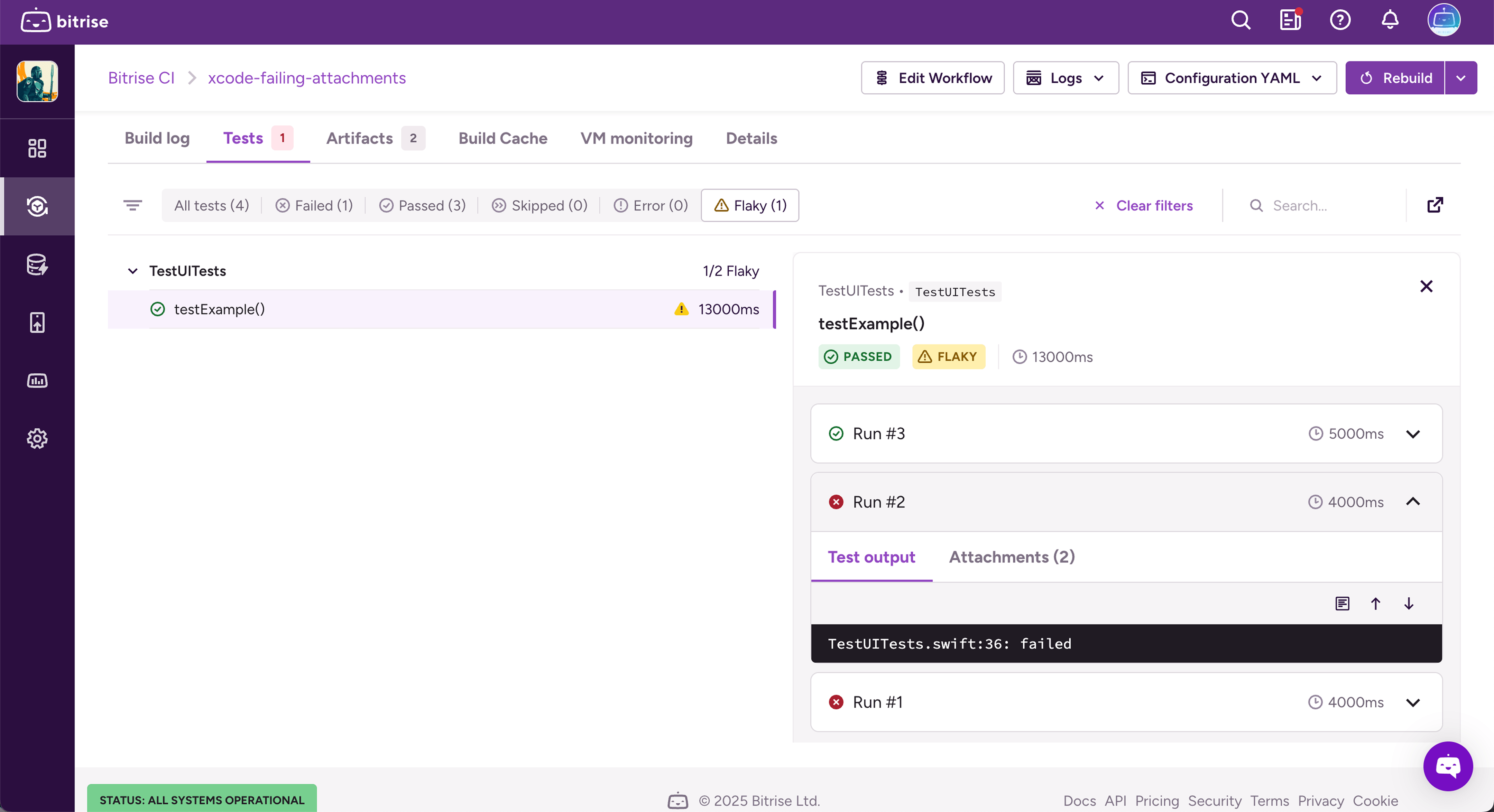
Test reports also support the use of the system-out tag in JUnit. If a test case includes this tag, we display its contents on the Test output tab. If a test case has both a system-out tag and produces an error message, we display both.
Viewing failed and flaky tests in your pull requestClick to copy link
If PR comments are turned on for your project, Bitrise posts a comment on the pull request when a build triggered by it finishes. To include your tests in the comment, select the Test failures and Flaky tests information blocks: Configuring PR comments in Bitrise.
Each block lists up to 10 tests, and each test links to the Tests tab of the build page. When a block reaches 10 tests, it also links to the full list.
The blocks use the same test results as the Tests tab, so you need to deploy your test results to Bitrise first. If Bitrise can't load the test results, the block shows "Failed to load test results".